AirPort/Bluetooth Board
|
11 Answers 9 Score |
How do I clean sticky keys on MacBook Pro? |
|
10 Answers 12 Score |
MacBook Pro Mid 2010 Shuts down and restarts randomly while plugged in |
|
1 Answer 1 Score |
a green line on the right side of the monitor, (see picture) |
|
20 Answers 20 Score |
Logic Board Failure due to Nvidia Graphics processor GT330M |
These are some common tools used to work on this device. You might not need every tool for every procedure.
A1286 (EMC 2353 MacBookPro6,2) 2.4 GHz, A1286 (EMC 2353 MacBookPro6,2) 2.53 GHz, A1286 (EMC 2353 MacBookPro6,2) 2.66 GHz, A1286 (EMC 2353 MacBookPro6,2) 2.8 GHz
Track down a number of hardware problems using the MacBook Pro 15" Unibody Troubleshooting page.
There are a number of components in the MacBook Pro 15" Mid 2010 Unibody that can be cost-effectively upgraded.
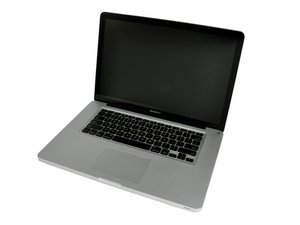
The MacBook Pro 15" Mid 2010 Unibody was announced in April of 2010.
Use the [/info/ID-your-Mac|laptop identification system] to help you identify your machine. MacBooks tend to look very similar, and it's important to know which machine you have before ordering any replacement parts.
The MacBook Pro 15" Mid 2010 Unibody's case is composed of a single block of aluminum, following the same process of the MacBook Unibody and the MacBook Pro 17" Unibody. The Unibody revision also introduced some features that were never before seen on an Apple laptop: the inclusion of dual video cards (one for regular use, one for graphics intensive applications) the Mini DisplayPort (which replaced the full-size DVI display connector), and larger hard drive and RAM capacities.
Past 24 Hours: 20
Past 7 Days: 110
Past 30 Days: 664
All Time: 905,046