Free Shipping on Domestic Orders $75+
Apple iPhone Troubleshooting: Fix Common Problems
The first step towards a working Apple iPhone is identifying the problem. Select one of our preferred guides below to diagnose and solve Apple iPhone common issues.

Lines on Screen
Does your iPhone have lines on the display? Are you having issues making out the image because of vertical or horizontal lines? Have a look at these fixes!


Battery Draining Fast
Has your iPhone battery suddenly started draining rapidly? Are you charging your phone multiple times in a day? Try some of these fixes!

Not Charging
Use this page to troubleshoot why your iPhone might turn on, but won't hold a charge.

Touch Screen Not Working
The touch screen on your iPhone is not responding, is not accepting touch input, seems frozen or is unresponsive in certain places.

Keeps Restarting
Is your iPhone boot looping? Is it restarting unexpectedly, (or predictably). Are you only getting an Apple on screen before it restarts? These solutions can get you up and running.

Overheating
Is your iPhone getting a temperature warning onscreen? Does your iPhone refuse to work due to excess heat? If so, these fixes can help!

Randomly Shuts Off
Does your iPhone randomly shut off, keep turning off or repeatedly goes off and comes back on? Follow these fixes and keep your phone running.
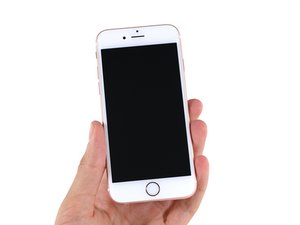
is Charging but Won't Turn On
What to do when your iPhone doesn't power on at all, even when plugged in and charging? Try these fixes first.
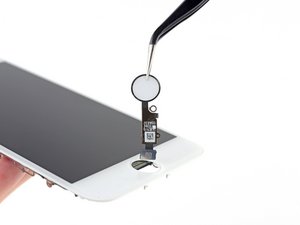
Home Button Not Working
Your iPhone home button is not working, it does not vibrate when pressed, your home button is broken or does not click.

Won't Turn On
If you're experiencing problems with your iPhone not turning on or displaying anything on screen when the power button is held, use this problem page to diagnose the problem figure out the solution.

Volume Buttons Not Working
Does your iPhone refuse to recognize when you press your volume buttons up or down? Do you have to press hard to get them to work at all? Take a look at these fixes.

Black Screen
Does your phone seem like it's powered up, but there’s nothing on screen? Can you hear incoming notifications, but not see them on the display? Try these fixes!

Blurry Camera
iPhone camera won’t focus? Having a hard time getting a good picture? Does your camera vibrate constantly? Try these fixes!

Invalid or No SIM
Is your iPhone not detecting your SIM card? Does it say "No SIM" or warn the SIM is invalid? Have a look at these fixes.

Frozen Screen
Is your iPhone stuck on the same screen and won't respond? Is your iPhone frozen and won't turn off? Have a look at these fixes!

Liquid Detected in Lightning Connector
Is your iPhone warning you that you’ve got liquid in the Lightning port? Is it blocking you from charging or connecting other accessories? Try these solutions!

Camera Black Screen
Consult this page if your iPhone camera is not working or does not work after a drop. It may only show a black screen, or the camera app may be crashing.

Stuck on Apple Logo
Your iPhone hangs on the Apple logo when trying to boot, or is stuck on the Apple logo while performing a software update. May or may not have a progress bar underneath.

Ghost Touch
Your iPhone experiences unexpected touch input. It swipes to other screens, or selects items without your interaction. iPhone has phantom touch input, or ghost touch.

No Sound
Your iPhone isn't emitting sounds, may not being ringing when there are incoming calls, or you cannot hear when listening to music with the built in speakers.

Won't Connect to WiFi
Your iPhone is not connecting to WiFi or will not stay connected to WiFi. Your iPhone has a grayed out WiFi switch or the WiFi toggle cannot be enabled. Your iPhone is not connecting to the network.

Bluetooth Not Working
Consult this page if your Bluetooth devices will not connect to your iPhone, Bluetooth is unavailable or grayed out, Bluetooth hangs when trying to connect or connect drops frequently.

Glitching Screen
Is your screen acting strangely? Is it acting possessed or flashing colors? Take a look at this page to help narrow your search.

Backlight Not Working
Is your iPhone backlight not working? Learn about the common causes and solutions of iPhone backlight failure.

Touch ID Not Working
Consult this page if your iPhone indicates Touch ID is not available, will not read your fingerprint, or fails to function.
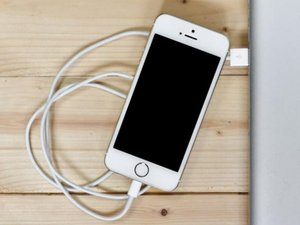
Slow Charge
Is your iPhone taking ages to charge? Are you losing patience while waiting to get enough juice to unplug? Give these fixes a try.

Apps Not Downloading on iPhone
Consult this page if your iPhone will not download apps, apps will not install or you are unable to get apps to update.
Didn't see your problem? The iFixit Community has answers.
Browse the most common questions asked by our members to see more solutions. Still no luck? You can always ask for help!

Icloud activation lock removal
iPhone 5c
