Free Shipping on Domestic Orders $75+
Samsung Laptop Troubleshooting: Fix Common Problems
The first step towards a working Samsung Laptop is identifying the problem. Select one of our preferred guides below to diagnose and solve Samsung Laptop common issues.

Samsung Laptop Will Not Turn On
Is your Samsung laptop not powering on or showing any signs of life? Try some of the tips on this page.


Samsung Laptop Black Screen
Is your Samsung laptop powering up but not showing any content on the built-in display? Try some of the tips on this page.

Samsung Laptop Not Charging
Samsung Laptop having trouble charging to 100% or not charging at all? Try some of the tips on this page!
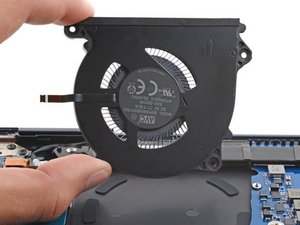
Samsung Laptop Overheating
Are you noticing your Samsung Laptop getting hotter than usual or overheating? Try some of the troubleshooting steps on this page.

Samsung Laptop Keyboard Not Working
Is the keyboard on your Samsung laptop not working as it should? Are the keys sticky or non-responsive? Try some of the troubleshooting tips on this page.

Samsung Laptop Frozen
Is your laptop freezing frequently or currently frozen? Try some of the tips on this page.

Samsung Laptop Running Slow
Is your Samsung laptop running slower than normal? Try some of the tips on this page.

Samsung Laptop Battery Draining Fast
Is the battery in your Samsung Laptop draining quicker than normal? Try some of the tips on this page.
Didn't see your problem? The iFixit Community has answers.
Browse the most common questions asked by our members to see more solutions. Still no luck? You can always ask for help!
Can't get to BIOS boot menu
Samsung Laptop
all boot option option tried. press f4 for recovery
Samsung Laptop
How to disassembly the Galaxy Book 12?
Samsung Laptop
No backlight in keyboard after upgrading to windows 10
Samsung Laptop
stuck in a boot loop
Samsung Laptop

About to replace the RAM SO-DIMM, what is the special film over it?
Samsung Series 5 UltraTouch NP540U3C

I have the black screen of death
Samsung Galaxy Book Pro 360 15"
