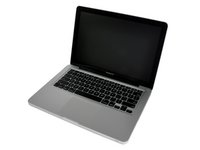
Click Image To Zoom


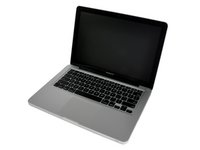
Unibody Laptop Dual Drive

$39.95 Was $59.95
You save $20.00!

Product code: IF107-080

Product Overview

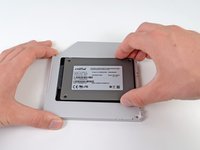
Replace a laptop optical drive with a 9.5 mm SATA drive

  • CDs are fast becoming obsolete, yet data space never goes out of style.
  • Adds a lot more space to your laptop.
  • Add an SSD for your OS and most commonly used Apps to drastically increase your speed, while still keeping your old HDD for capacity.
  • Kit includes a USB to SATA adapter cable that will let you keep using your optical drive after it's been removed.
  • Does not include hard drive. We recommend a 240 GB SSD, 500 GB 7200 rpm drive, or 750 GB hybrid drive.

Kit Contents:

  • SATA Optical Bay SATA Hard Drive Enclosure
  • Plastic Spudger
  • SATA USB Cable - continue using your optical drive after it's removed
  • iFixit Tool Pouch
  • 4 mm Precision Screwdriver Handle - includes the following bits:
    • Phillips #00
    • Torx T6
    • Torx T8
    • Pentalobe P6
    • Tri-wing Y1
    • Magnetic Pickup Bit

Compatibility

Identify your Mac

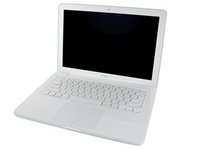
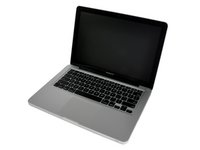
  • All Unibody MacBooks and Unibody MacBook Pros (excluding MacBook Pro Retina)

Product Details

$39.95 Enclosure Only


Condition:

New

Warranty:

6 month warranty

Notes:

This enclosure does not work with ATA drives or hard drives thicker than 9.5 mm.

$49.95 Upgrade Kit


Condition:

New

Warranty:

6 month warranty

Notes:

Everything you need to add a 9.5mm SATA hard drive to your laptop, while still being able to use your optical drive.

Add to Cart »
 

Install Videos


Installation Guides

MacBook Pro 13" Unibody Early 2011

Difficulty: Moderate

MacBook Pro 13" Unibody Late 2011

Difficulty: Moderate

MacBook Pro 13" Unibody Mid 2009

Difficulty: Moderate

MacBook Pro 13" Unibody Mid 2010

Difficulty: Moderate

MacBook Pro 13" Unibody Mid 2012

Difficulty: Moderate

MacBook Pro 15" Unibody Early 2011

Difficulty: Moderate

MacBook Pro 15" Unibody Late 2011

Difficulty: Moderate

MacBook Pro 15" Unibody Mid 2009

Difficulty: Moderate

MacBook Pro 15" Unibody Mid 2010

Difficulty: Moderate

MacBook Pro 15" Unibody Mid 2012

Difficulty: Moderate

MacBook Pro 17" Unibody

Difficulty: Moderate

MacBook Unibody Model A1278

Difficulty: Moderate

MacBook Unibody Model A1342

Difficulty: Moderate


Compatibility

MacBook Pro 13" Unibody Early 2011
2.3 GHz (Early 2011)
2.7 GHz (Early 2011)
MacBook Pro 13" Unibody Late 2011
2.4 GHz (Late 2011)
2.8 GHz (Late 2011)
MacBook Pro 13" Unibody Mid 2009
2.26 GHz (Mid 2009)
2.53 GHz (Mid 2009)
MacBook Pro 13" Unibody Mid 2010
2.4 GHz (Mid 2010)
2.66 GHz (Mid 2010)
MacBook Pro 13" Unibody Mid 2012
2.5 GHz (Mid 2012)
2.9 GHz (Mid 2012)
MacBook Pro 15" Unibody 2.53 GHz Mid 2009
2.53 GHz (Mid 2009)
MacBook Pro 15" Unibody Early 2011
2 GHz (Early 2011)
2.2 GHz (Early 2011)
2.3 GHz (Early 2011)
MacBook Pro 15" Unibody Late 2008 and Early 2009
2.4 GHz (Late 2008)
2.53 GHz (Late 2008)
2.66 GHz (Early 2009)
2.8 GHz (Late 2008)
2.93 GHz (Early 2009)
MacBook Pro 15" Unibody Late 2011
2.2 GHz (Late 2011)
2.4 GHz (Late 2011)
2.5 GHz (Late 2011)
MacBook Pro 15" Unibody Mid 2009
2.66 GHz (Mid 2009)
2.8 GHz (Mid 2009)
3.06 GHz (Mid 2009)
MacBook Pro 15" Unibody Mid 2010
2.4 GHz (Mid 2010)
2.53 GHz (Mid 2010)
2.66 GHz (Mid 2010)
2.8 GHz (Mid 2010)
MacBook Pro 15" Unibody Mid 2012
2.3 GHz (Mid 2012)
2.6 GHz (Mid 2012)
2.7 GHz (Mid 2012)
MacBook Pro 17" Unibody
2.53 GHz (Mid 2010)
2.66 GHz (Early 2009)
2.66 GHz (Mid 2010)
2.8 GHz (Mid 2009)
2.8 GHz (Mid 2010)
2.93 GHz (Early 2009)
3.06 GHz (Mid 2009)
MacBook Pro 17" Unibody Early 2011
2.2 GHz (Early 2011)
2.3 GHz (Early 2011)
MacBook Pro 17" Unibody Late 2011
2.4 GHz (Late 2011)
2.5 GHz (Late 2011)
MacBook Unibody Model A1278
2 GHz (A1278)
2.4 GHz (A1278)
MacBook Unibody Model A1342
2.26 GHz (A1342)
2.4 GHz (A1342)
 

Stories

My Problem

My laptop was slowing down, but I am not ready to pay $3000 for a new one. I wanted the performance of an SSD without losing the storage capacity of my 1TB HD.

My Fix

Piece of cake! Previously the Apple Store opened my mac for a repair, and I see where they neglected to return screws or replace padding. The ifixit guides are a godsend.

My Advice

Keep care of your screws. Order the repair kit to make sure you have everything you need.

My Problem

Macbook pro, a few years old but still with a bit of life left in it. I decided to upgrade rather than replacing it. The upgrade consisted of more memory, a solid state drive and a replacement of the optical drive with bay to hold the old HDD. I personally hate the idea of adding to landfill so anything I can do to keep a computer or other tech device going I am for.

My Fix

Relatively easy but then I have all the tools I need and have learned to take my time on any process I have never done before. The ifixit repair guides are first rate and I always run through each step several times so have few surprises.

My Advice

Make sure you have the correct tools for any repair. Take your time and lay out the parts in a way that makes sense when it comes time to put something back together.

My Problem

Needed more HD space for my dual-boot Macbook Pro

My Fix

Works like a champ. I used to fix laptops, but your instructions with pictures are very good, so I think anybody can do it.

My Advice

In step 10 of your online guide, the two 2.5 mm Phillips screws, are difficult to access with the bits you provide in your kit. The shaft of the bit (that fits into the screwdriver) barely fits into that gap. Getting those screws back in took some time, and I may have stripped those screws (not sure).. I would suggest looking at other bits that have a thinner shaft. Other than that everything was great.

http://www.ifixit.com/Guide/Installing+M...

Kriengsak's Story Photo #248841

My Problem

avoid to carry external drive with removing optical drive with iFixit

My Fix

Repair with guideline provide on iFixit

My Advice

It is quite clear to replace with my knowleadge 0/10 but I did it!

My Problem

I wanted to boost my laptops performance with a solid state drive running in tandem with my harddrive.

My Fix

The repair went awesome. Took a few hours once I received all the right parts. Everything went super smoothly.

My Advice

Make sure you click the right box when ordering a product. And make sure you know what you are ordering. I ordered the wrong optibay unit and had to overnight the correct part for an extra $30 bucks.