Back Panel
|
6 Answers 3 Score |
How do I open this stripped screw in my laptop? |
|
1 Answer 3 Score |
Subwoofer makes a terrible grinding noise |
|
3 Answers 1 Score |
Overheating and fan noise. |
|
1 Answer 1 Score |
Why is my keyboard not working? |
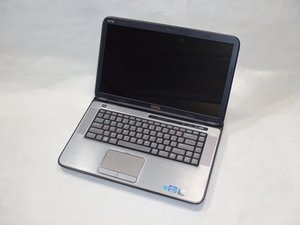
The Dell XPS 15-L502X was released in 2011. It came with the new 2nd Gen Intel® Core™ processor. It was released with the intended target of heavy multimedia or gaming users. It has high quality JBL speakers along with an excellent display. It comes with bluetooth 3.0, 2.0 megapixel high definition webcam, and Blu-ray disc tray compatible with DVD and CD.
The Dell XPS 15-L502X had a very common general hardware problem with the computer freezing while the user was streaming a video or gaming on the laptop. The Nvidia GT 540 was freezing the computer, and the only fix that seemed to help was upgrading the computer to Windows 8. This was available on October 8, 2012, nearly a year after the laptop was released.
You can identify this device by looking for "XPS L502X" on the center of the back side.
Manuals & documentation for your XPS 15 L502X
How to disassemble Dell XPS 15 L502X
Dell™ XPS™ L502X Service Manual
Manual de servicio Dell XPS L502X
Manual de serviço do Dell XPS L502X
Dell XPS L502X Servis El Kitabı
Dell XPS L502X Instrukcja serwisowa
Dell XPS L502X Huoltokäsikirija
Dell XPS L502X Servisní přirůčka
Dell XPS L502X szervizelési kézikönyv
Dell XPS L502X Servisná príručka
Dell XPS L502X – priročnik za servisiranje
Manual de service Dell XPS L502X
Dell XPS L502X Manual de serviço
Dell XPS L502X Εγχειρίδιο σέρβις
Руководство по обслуживанию компьютера Dell XPS L502X
Servisni priručnik Dell XPS L502X
Onderhoudhandleiding Dell XPS L502X
IUPUI-BAECHLE-F15S2G3
3 Members
84 Guides authored
Past 24 Hours: 5
Past 7 Days: 38
Past 30 Days: 144
All Time: 20,042