
Free Shipping on Domestic Orders $75+

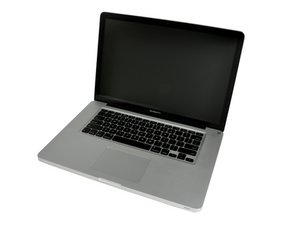
Released June 2012 / Core i7 processor with Turbo Boost / Up to 1 GB GDDR5 Video RAM

Mid 2012 MBP Hardware Upgrades

I want to upgrade my laptop’s current HD & RAM, possibly removing the Optical Drive as well since it doesn’t work anymore.

Any Suggestions ?

It’s not for super critical work such as Audio or Video Editing, I just need it to be faster, or as fast as it can get.

Thanks in advance.

Answered! View the answer I have this problem too

Is this a good question?

Score 0
Add a comment

1 Answer

Chosen Solution

To start with I would bump the RAM to 16GB which is the systems limit MacBook Pro 15" Unibody Mid 2012 RAM Replacement

As for as drives I would go with a 1TB so you have plenty of space. I would go with a SSD Vs HD as its just more rugged and uses less power MacBook Pro 15" Unibody Mid 2012 Hard Drive Replacement.

The one issue you do face is the HD SATA cable will likely need to be replaced if you still have the original HDD in the system as the original cable was not able to run at the higher SATA III (6.0 Gb/s) data rates the SSD will push without encountering issues MacBook Pro 15" Unibody (Mid 2012) Hard Drive Cable I would also apply a strip of electricians tape on the upper case where the cable crosses offer and explained here Your Hard Drive Cable Is A Ticking Time Bomb

The last issue is making sure you don’t damage the cable installing it. A common failure I see is people crease the cable which damages the thin foil wires with in the cable. I use an old BIC pen ink straw as a bending brake to form the bends so I don’t exceed the radius of the straw.

I would leave the optical drive alone as it needed for structure and with one large drive you should not need a second.

Replace a damaged cable connecting the hard drive to the logic board in your laptop. Image

Product

MacBook Pro 15" Unibody (Mid 2012) Hard Drive Cable

$19.99

MacBook Pro 15" Unibody Mid 2012 Hard Drive Image

Guide

MacBook Pro 15" Unibody Mid 2012 Hard Drive Replacement

Difficulty:

Moderate

20 - 30 minutes

MacBook Pro 15" Unibody Mid 2012 RAM Image

Guide

MacBook Pro 15" Unibody Mid 2012 RAM Replacement

Difficulty:

Easy

10 - 45 minutes

Was this answer helpful?

Score 3

3 Comments:

I think the original HD was already replaced because the HD in it now is a 1TB, but good looking out with regards to the HD Cable installation.

by

An SSD will give you a perceived 100% speed increase.

by

That trick with the old bic ink straw to limit the radius of a bend for the ribbon cable - I'll be keeping that in mind.

by

Add a comment

Add your answer

immanueltnt will be eternally grateful.
View Statistics:

Past 24 Hours: 0

Past 7 Days: 4

Past 30 Days: 20

All Time: 138
