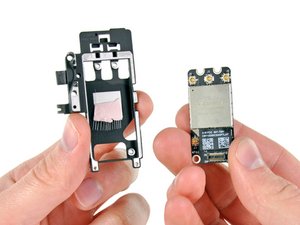
AirPort Bluetooth Board
|
25 Answers 13 Score |
Will the Samsung EVO 860 SATA III SSD drive work in my system? |
|
6 Answers 6 Score |
Can I use PC3L 12800S RAM in place of PC3 10600S RAM |
|
7 Answers 4 Score |
MacBook Pro 2011 not charging |
|
9 Answers 12 Score |
Is my MacBook's Internal Speaker Blown? |
These are some common tools used to work on this device. You might not need every tool for every procedure.
A1278 (EMC 2555 MacBookPro8,1) 2.4 GHz, A1278 (EMC 2555 MacBookPro8,1) 2.8 GHz
Track down a number of hardware problems using the MacBook Pro 13" Unibody Troubleshooting Guide.
There are a number of components in the MacBook Pro 13" Unibody Late 2011 that can be cost effectively upgraded.
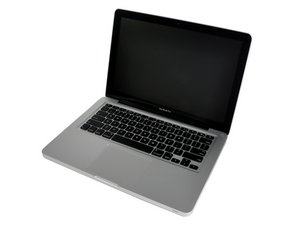
The MacBook Pro 13" Unibody is clearly differentiated from other MacBook Pros by its smaller size. However, it does resemble its larger siblings, the MacBook Pro 15" Unibody and the MacBook Pro 17" Unibody.
Use the laptop identification system to help you identify your machine. MacBook Pros tend to look very similar, and it's important to know which machine you have before ordering any replacement parts.
The MacBook Pro was first introduced in January of 2006. Since then, Apple has fairly consistently released two new versions every year, each with improved specs and features than the one before.
Like all of their products, Apple says the MacBook Pro is not user-serviceable, but this laptop is fairly straightforward to take apart. It does have a lot of components smashed together very precisely, but getting to the components requires only some unscrewing.
Past 24 Hours: 17
Past 7 Days: 114
Past 30 Days: 514
All Time: 601,516