AirPort/Bluetooth Board

|
11 Answers 26 Score |
wireless wi-fi no hardware found |
|
10 Answers 17 Score |
3 beeps on start up |
|
12 Answers 6 Score |
Blinking question mark folder. Command Option R doesn't work. |
|
4 Answers 4 Score |
Macbook Air Power button not working |
These are some common tools used to work on this device. You might not need every tool for every procedure.
A1237 (EMC 2142 MacBookAir1,1) 1.6 GHz (Original), A1237 (EMC 2142 MacBookAir1,1) 1.8 GHz (Original), A1304 (EMC 2253 Late 2008 MacBookAir2,1) 1.6 GHz, A1304 (EMC 2253 Late 2008 MacBookAir2,1) 1.86 GHz, A1304 (EMC 2334 Mid 2009 MacBookAir2,1) 1.86 GHz, A1304 (EMC 2334 Mid 2009 MacBookAir2,1) 2.13 GHz
Track down a number of hardware problems using the MacBook Air troubleshooting page.
The two primary options for reading CDs and DVDs are to either purchase an external SuperDrive, or to use an Apple feature called Remote Disc. Remote Disc allows the optical drive of a nearby Mac to be borrowed for use in mounting discs on the MacBook Air.
If your MacBook Air died prematurely and you want to restore it, you can either reinstall software using Remote Install Mac OS X, or purchase a MacBook Air SuperDrive. The SuperDrive will enable you to run a Mac OS X restore disk on your MacBook Air.
Unfortunately, the RAM and processor are not upgradeable in the MacBook Air. However, that does not mean the MacBook Air is completely non-upgradeable. The following major parts can be upgraded:
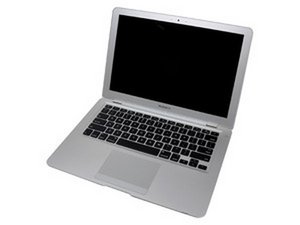
The MacBook Air was introduced to the masses on January 15, 2008. It measures only 0.76" in thickness, a hair thicker than the diameter of a dime. However, Apple has managed to pack a 13.3-inch display, a full-size keyboard, an Intel Core 2 Duo processor, 2 GB of RAM, and 802.11n Wi-Fi into a package that weighs 3 pounds.
Use the laptop identification system to help you identify your machine. MacBooks tend to look very similar, and it's important to know which machine you have before ordering any replacement parts.
There are a number of downsides to the portable nature of the MacBook Air. The RAM is soldered to the logic board, and there are no upgrade slots -- which means the user is stuck with 2 GB RAM. There is no built-in optical drive, preventing users from easily restoring their system. Worst of all (at least from a troubleshooting and repairing perspective), the lack of FireWire ports prevents utilization of the incredibly useful Target Disk Mode, limiting the ability to restore the Air's operating system and perform diagnostics without removing the hard drive.
Past 24 Hours: 31
Past 7 Days: 159
Past 30 Days: 608
All Time: 589,005