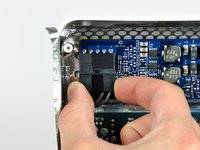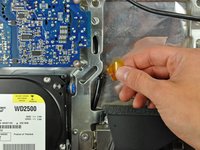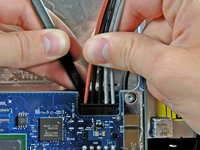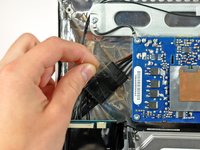
Click Image To Zoom


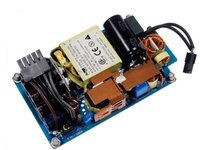
iMac G5/Intel Power Supply

$139.95

Product code: IF165-000-1
Apple Part #: 661-3780

Product Overview

Sir Francis Bacon contended that "knowledge is power." Clearly he never tested his theory by reading an encyclopedia to a computer with a dead power supply. Save your breath and empower your iMac G5/Intel the sure-fire way with our replacement power supply.

NOTE: This power supply is not compatible with EMC No. 2124 (Apple Part #661-4018).

Compatibility

Identify your Mac

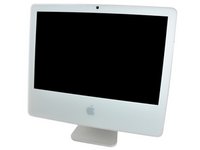
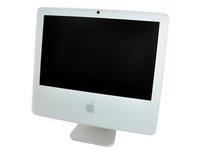
  • 1.9 GHz 17" G5 iMacs (Excluding EMC No. 2124)
  • 2.1 GHz 20" G5 iMacs
  • All 17" Intel iMacs
  • 2 (EMC No. 2105), 2.16, or 2.33 GHz 20" Intel iMacs

Product Details

  $139.95 New


Condition:

New

Warranty:

6 month warranty

Add to Cart »

19 Available

Quantity:


Installation Guides

iMac G5 17" Model A1144

Difficulty: Moderate

iMac G5 20" Model A1145

Difficulty: Difficult

iMac Intel 17"

Difficulty: Moderate

iMac Intel 20" EMC 2105 and 2118

Difficulty: Difficult


Compatibility

iMac G5 17" Model A1144
1.9 GHz
iMac G5 20" Model A1145
2.1 GHz
iMac Intel 17"
1.83 GHz (EMC No. 2104)
1.83 GHz (EMC No. 2110)
2 GHz
2.16 GHz
iMac Intel 20" EMC 2105 and 2118
2 GHz (EMC No. 2105)
2.16 GHz
2.33 GHz
 

Stories

john's Story Photo #163558

My Problem

I bought an iMac marked non-functioning from Goodwill. When I saw the specs on the bottom of the stand, I knew it had to be an Intel model. I grabbed it for $25 and took it home.

My Fix

As soon as I got my $25 iMac home, I plugged it in and found no signs of life. I popped it open and tested the power supply with a voltmeter; it was putting out nothing. I ordered the new power supply, popped it in, and my iMac was as good as new!

My Advice

Make sure you use a magnetized driver to remove the screws holding the screen — they're easy to drop into the iMac. Also, the EMI shield is a total pain. Other than that everything is pretty easy.

nazcarlpa's Story Photo #158429
nazcarlpa's Story Photo #158428
nazcarlpa's Story Photo #158427

My Problem

The iMac had problems restarting and turning off and on again after a long period of activity. The team was sent to restart and it did not reach it, after hearing the beep on, the team came down and off. Also to turn off, had to wait about 10 minutes to get back on. The team had síntomes significant energy loss, which led me to believe that the power supply was damaged.

My Fix

After replacing the power supply, the team showed great improvement over the boot much faster and without any noise but the problem continued to a lesser extent. What took me back to disassemble the iMac to do a thorough cleaning of the heatsink and apply new thermal paste to the CPU. After doing all this, the team had enos symptoms but as the team was working again present the same fault sometimes. Which leads me to think that the logic board is damaged. But after all these steps, the team works seamlessly in the absence of these minor inconveniences.

My Advice

I recommend everyone iFixit parts and especially their guides. Thanks to them I managed to remove and replace my iMac without any problems when at first it seemed impossible.

My Problem

My mac would not turn on. I checked the power cord and outlet and they were all fine. The Apple store said that since it was five years old that it was a "vintage" and they wouldn't be able to help me in any way.

My Fix

I found this sight and ordered a new power supply to put in it. The step by step photos and instructions were great! It just took a little bit of time, but I now have my mac back and it didn't cost me an arm and a leg.

My Advice

I would order the torex screwdriver if you don't have one. I have a set, but they were all too big. I then had to go on a hunt to find the T6. Lowes smallest one was a T7. (So close, but not small enough.) When I did find it, I paid more for it at the store than I would have if I just bought it from here.

My Problem

iMac was powering itself down or wouldn't come back up.

My Fix

Wow, this was the most complicated repair I have done. It took about 2 hours. (but I had two young boys watching which extended the time.) I can't imagine doing this without step by step instructions and photos.

My Advice

I was a little disappointed in the nut driver in the pro tech base toolkit. It needed about a 1/8" longer part of the skinny shaft to get to the recessed screws. I ended up leaving one of the screws out that connects the display to the case after about 6 attempts.

My Problem

no power at all

My Fix

put in power supply and now imac work , I used the shortcut method because i did not want to take out the Logic Board. Everything was easy because i change a hard drive in one before, the only thing was reaching the power supply wires and then connecting the new one, that was hard

My Advice

Make sure you have the right tools

My Problem

In my flat a weeks ago, the neutral wire failed. Almost 380 V, went trought my electrical installation burning many things, one of them, damm! was the IMAC. Suddenly started to exit fume from inside the computer. I crossed my finger and I expected only the Power supply was damaged. I succeded.

My Fix

As a read in your wonderful manual, step by step, took me two hours to finish it.

My Advice

A magnetic screwdriver is mandatory to remove the screen holding screws ( 4 ).

My Problem

In the midst of a heated game of Wow-Wow-Wubsy online, my kids' old 20" Intel iMac bought the farm. I considered a new one or a Mac Mini, but then thought, over my wife's objections, "I'm no idiot...I can fix it." The unit simply died and would not power up. Impressively, I diagnosed a dead power supply. One trip to iFixit, and I was committed like a hog to slaughter.

My Fix

Exactly...I mean EXACTLY like the iFixit iPad App showed me. Brilliant! I had only one leftover screw at the end of the project (a record for me).

My Advice

Buy the right tools. I really needed a magnetic-tipped torx (star-bit) driver. I worked around it, but it was the only sketchy moment of the whole job (the possibility of dropping a tiny screw into the forbidding innards of my newly re-assembled iMac).

My Problem

Unfortunately as sleek as Mac's are. They have thier flaws and thats their rep on parts. Its meh at best. At least we have a great site like IFixIt that is there for the consumer. I couldnt imagine shelling out big bucks for this old of a mac.

My Fix

Well taking apart the IMAC isnt too bad. It deffienetly took paitence and making a gameplan. I made a plastic card to bend to slide the two fingers in the back to free the casing. that was probably the hardest part. After that slowly lift from the bottom pulling towards you. This will allow you to access and remove the screen. Also want to remember that the IMAC has the mic and camera that needs disconnected before the front case comes off. Once thats done t8 and t5 bits and be careful uplggine the different plugins from the screen. Two to the left and one main one that needs the t5 bit tow screws hold in the plugin. Powersupply is on the top left. The hardest part was getting the main cord unpluuged. Once unplugged hold onto the female end. I made this misktake and it slid under the logic board. If this happens verry carefully use precison standard screwdrivers and slowly pinch it to the new power supply. Secure with the 4 t8 screws and reassemble. I didnt find the video for my exact mac. However its fairly similar.

Job was about 20 minutes total just. I really took my time.

My Advice

Make sure you hold onto the female end of the power supply plugin. Its not fun digging it out it it slides under the logic board.

My Problem

My computer would only turn on if you hugged it.

My Fix

Fast, easy, to the point. If you have the guide.

My Advice

Trust me, they maid it as difficult as they could [with some still calling cheating (and they did, BIG TIME)]. But no, not anyway, the turtle still wins the race. Remember, its a marathon not a 100 yard dash.

Thanks to all my friends and family that made this posable, I really couldn't have done it with out you.

Peace,

Phillip King

My Problem

Following a brief power fluctuation my mother's iMac was dead...black screen, no sound...dead. The cost of replacing it with a remanufactured Mac or new PC was more than she could easily afford, and her documents etc. on her dead Mac would entail disassembly of the iMac so as to retrieve the hard drive, so we determined to try to merely replace the power supply.

My Fix

I've replaced many a power supply in PC's, which is a 10-15 minute fix. Not so with the iMac. Luckily ifixit had detailed (and invaluable) photos and text to describe the process. Halfway thru I was momentarily stymied by the fact that I did not have a magnetic, long & thin shaft 10mm Torx, so I had to go all barbarian and tear deep V's thru the case plastic so as to remove the 4 screws holding the monitor screen in. It didn't look pretty, but it worked. After reassembly it worked perfectly, and there was no visible trace of the gouges into the case I'd made...and Mom was ecstatic to get her iMac back in working condition with all of her documents and pictures intact.

My Advice

Peeling the sticky EMI shield from around the monitor was a chore. Having a magnetic 10mm Torx with a long thin shaft was pretty much a neccessity to remove the 4 screws holding the monitor in (Step 12 in the instructions) unless you're willing to spend the 30 mins or so it takes to tear deep grooves thru the plastic. Unless you're experienced at iMac repair, the detailed instructions on ifixit were absolutely necessary.