
AC Power Inlet
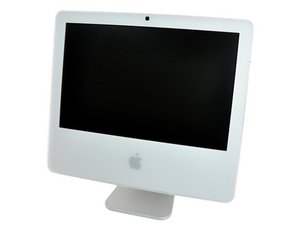
|
16 Answers 4 Score |
Do any other LCD panels work with this iMac? |
|
3 Answers 1 Score |
My iMac will not turn on? |
|
3 Answers 2 Score |
How do I test the power supply? |
|
3 Answers 1 Score |
iMac not booting at all |
1.83 GHz (EMC 2104 iMac4,1), 1.83 GHz (EMC 2110 iMac4,2), 1.83 GHz (EMC 2124 iMac5,2), 2 GHz (EMC 2114 iMac5,1), 2.16 GHz (EMC 2114 iMac5,1)
There are no troubleshooting guides for the iMac Intel 17" at this time.
You can cost-effectively upgrade a number of components in the iMac Intel 17".
You can verify that you have a iMac Intel 17" by checking the processor information through "About This Mac" in the Apple menu.
iMacs tend to look very similar, and it's important to know which machine you have before ordering any replacement parts. Check your machine against the details in this section. If they don't match, find your model under iMac Intel and check the Identification section on its page.
The iMac Intel 17" was the first desktop Mac based on an Intel processor.
Past 24 Hours: 8
Past 7 Days: 65
Past 30 Days: 268
All Time: 320,262


