Free Shipping on Domestic Orders $75+
DualSense Controller V1 Troubleshooting: Fix Common Problems
The first step towards a working DualSense Controller V1 is identifying the problem. Select one of our preferred guides below to diagnose and solve DualSense Controller V1 common issues.

PS5 Controller Stick Drift
Experiencing unwanted movement or input from your DualSense controller's thumb sticks, commonly known as Stick Drift? Try some of the tips on this page to resolve the issue.

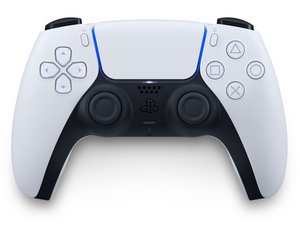
PS5 DualSense Controller Not Turning On
If your DualSense controller is unresponsive and not turning on? Try some of the tips on this troubleshooting page.

PS5 Controller Not Charging
DualSense Controller Not Charging? Try some of the troubleshooting tips on this page!

PS5 Controller Buttons Not Working
If you're experiencing issues with your PlayStation 5 controller where buttons are sticking, making gameplay frustrating or unresponsive, follow these steps to troubleshoot and potentially resolve the problem.

PS5 Controller Touchpad Not Working
The DualSense controller's touchpad is not responding during gameplay. Possible causes include incompatible games, out-of-date system software, or a damaged touchpad.

PS5 Controller Not Connecting
Are you experiencing difficulty connecting your DualSense controller to your console? Try these troubleshooting steps to identify and resolve your issue.
Didn't see your problem? The iFixit Community has answers.
Browse the most common questions asked by our members to see more solutions. Still no luck? You can always ask for help!
What temperature to use for soldering on dualsense controller?
DualSense Controller V1
Controller Thumb-stick rubber spinning issue
DualSense Controller V1
Controller's board is flashing yellow 3 times when connected to power
DualSense Controller V1
L2 Button constant on even if not pushed
DualSense Controller V1
DualSense flashing three white lights when turned on.
DualSense Controller V1
PS5 Controller displaying orange with white light
DualSense Controller V1
Why is my left joystick rotating?
DualSense Controller V1
Can I replace the headphone jack?
DualSense Controller V1
