
AirPort Antenna
|
2 Answers 0 Score |
Can I convert the power supply to USB-C? |
|
2 Answers 1 Score |
Mac Mini is dead |
|
5 Answers 5 Score |
Mac Mini light comes on, but no chime. |
|
12 Answers 2 Score |
Mac CPU upgrade speed? |
These are some common tools used to work on this device. You might not need every tool for every procedure.
1.5 GHz (Macmini1,1 Core Solo), 1.66 GHz (Macmini1,1 Core Duo, Early 2006), 1.66 GHz (Macmini1,1 Core Duo, Late 2006), 1.83 GHz (Macmini1,1 Core Duo, Late 2006), 1.83 GHz (Macmini2,1 Core 2 Duo, Mid 2007), 2 GHz (Macmini3,1 Core 2 Duo)
There are no troubleshooting guides for the Mac mini Model A1176 at this time.
You can cost-effectively upgrade a number of components in the Mac mini Model A1176.
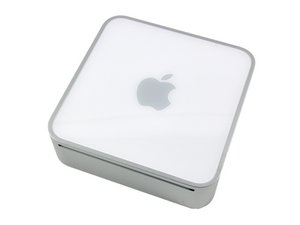
You can verify that you have a Mac mini Model A1176 by checking the model number on the bottom of your mini.
Mac minis tend to look very similar, and it's important to know which machine you have before ordering any replacement parts. Check your machine against the details in this section. If they don't match, find your model under Mac Mini and check the Identification section on its page.
The Mac mini is a desktop computer made by Apple Inc. It is uncommonly small for a desktop computer and its external power supply is roughly one third of the size of the computer itself. It was originally introduced in January of 2005 and has been updated with newer processors and other expansions several times since.
Past 24 Hours: 20
Past 7 Days: 116
Past 30 Days: 503
All Time: 530,253


