Access Door
|
9 Answers 19 Score |
Converting Internal MacBook Trackpad to External USB Trackpad |
|
13 Answers 12 Score |
Keyboard keys have to be pressed hard to type |
|
5 Answers 9 Score |
Display is dim and will not brighten |
|
16 Answers 22 Score |
MacBook unibody keyboard ribbon cable won't go in |
These are some common tools used to work on this device. You might not need every tool for every procedure.
A1278 (EMC 2254 MacBook5,1) 2 GHz, A1278 (EMC 2254 MacBook5,1) 2.4 GHz
Track down a number of hardware problems using the MacBook Unibody Model A1278 Troubleshooting Guide.
There are a number of components in the MacBook Unibody that can be cost effectively upgraded.
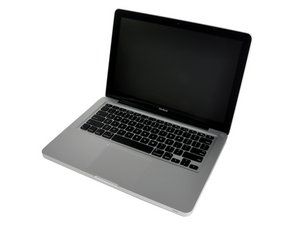
It updated the look of the MacBook laptop line by mimicking the look of the more expensive, aluminum-cased MacBook Pro. Apple released the new design on October 14, 2008, about two and a half years after the MacBook line was introduced.
Significant changes to the MacBook line occurred with the introduction of the MacBook Unibody. A new Nvidia chipset and GeForce 9400M graphics provided much faster video processing capability. The polycarbonate MacBook's mini-DVI port was replaced with Mini DisplayPort. Apple also switched to LED-backlit LCDs to the MacBook Unibody. An innovative glass trackpad replaced the stock trackpad and enabled the tracking area itself to function as a mouse button. Apple also removed the FireWire 400 port, unfortunately eliminating the useful Target Disk Mode feature. Target Disk Mode allowed you to mount the laptop as an external drive in another computer, and was extremely useful for troubleshooting older MacBooks. There is no equivalent technique with the MacBook Unibody.
The MacBook Unibody is clearly differentiated from other MacBooks by its aluminum case. However, it does resemble its larger siblings, the MacBook Pro 15" Unibody and the MacBook Pro 17" Unibody. You can find out for sure whether you have the MacBook or MacBook Pro by looking at the writing below your laptop's screen.
Use the [/info/ID-your-Mac|laptop identification system] to help you identify your machine. MacBooks tend to look very similar, and it's important to know which machine you have before ordering any replacement parts.
Past 24 Hours: 27
Past 7 Days: 175
Past 30 Days: 746
All Time: 1,153,943