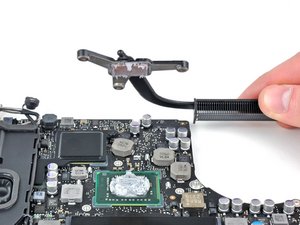
AirPort/Bluetooth Board


|
10 Answers 68 Score |
How do I reset the firmware password on my MacBook Pro? |
|
5 Answers 1 Score |
MacBook Pro won't detect internal display |
|
6 Answers 5 Score |
Upgrade Wifi Card to 802.11ac in Early 2011 MacBook Pro (13-inch)? |
|
10 Answers 5 Score |
Fan running at full speed, CPU throtled |
These are some common tools used to work on this device. You might not need every tool for every procedure.
A1278 (EMC 2419 MacBookPro8,1) 2.3 GHz, A1278 (EMC 2419 MacBookPro8,1) 2.7 GHz
Track down a number of hardware problems using the MacBook Pro 13" Unibody Troubleshooting Guide.
There are a number of components in the MacBook Pro 13" Unibody Early 2011 that can be cost effectively upgraded.
The MacBook Pro 13" Unibody is clearly differentiated from other MacBook Pros by its smaller size. However, it does resemble its larger siblings, the MacBook Pro 15" Unibody and the MacBook Pro 17" Unibody.
Use the laptop identification system to help you identify your machine. MacBook Pros tend to look very similar, and it's important to know which machine you have before ordering any replacement parts.
Display
Storage
Processor
Memory
Wireless Connectivity
Graphics and Video
Ports
Audio
Battery and Power
Past 24 Hours: 35
Past 7 Days: 295
Past 30 Days: 1,265
All Time: 1,042,691