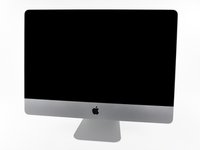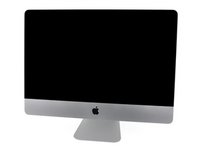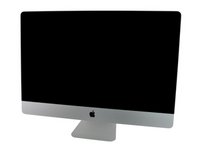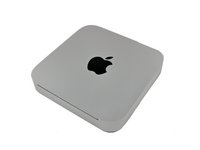
Click Image To Zoom
Customers also bought
Share this Product
Installation Guides
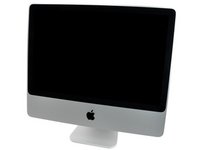
iMac Intel 20" EMC 2266
Difficulty: Moderate
iMac Intel 21.5" EMC 2308
Difficulty: Moderate
iMac Intel 21.5" EMC 2389
Difficulty: Moderate
iMac Intel 24" EMC 2267
Difficulty: Moderate
iMac Intel 27" EMC 2309 and 2374
Difficulty: Moderate
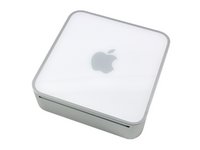
Mac Mini Mid 2010
Difficulty: Difficult
Mac Mini Mid 2010
Difficulty: Moderate
Mac mini Model A1283
Difficulty: Moderate
Compatibility
| iMac Intel 20" EMC 2266 |
| ||||
| iMac Intel 21.5" EMC 2308 |
| ||||
| iMac Intel 21.5" EMC 2389 |
| ||||
| iMac Intel 24" EMC 2267 |
| ||||
| iMac Intel 27" |
| ||||
| Mac mini Model A1283 |
| ||||
| Mac mini Model A1347 |
|
Stories
My Problem
My mechanical hard drive was working very, very, very slowly.
Everytime I was opening a new file, the waiting cursor appeared, when I wanted to read a file, it was very slow, etc..
The mac was not "usable".
My Fix
Perfectly, in 30min, it was finished !
My Advice
Take your time, go step by step, and be careful.
My Problem
The iMac internal HDD was failing. Late 2009 iMac i5 quad-core.
My Fix
Internal HDD was failing badly. In fact, I waited too long, and was about, oh, literally 1 day too late in fixing it. I had received my orders from ifixit and amazon two days prior, but was waiting until the weekend to repair, but at that point the HDD was locking up so much I couldn't manage a migration or anything to the new HDD, so I spent about a day and a half learning about every possible way that should, but did not work, and finally managed to work out a solution. The iMac is running like a champ again, and I am more technically competent. Bless the repair partition in Lion OSX: it worked with the faulty HDD for the 1.5 hours I needed it to, so the folks at Apple must have been smart enough to have the repair process use the HDD at a very stable mechanical level.
My Advice
If your HDD begins to fail, replace it ASAP. It will probably last for a while after it starts clicking: mine lasted 2 months. It may last two weeks after Drive Genius tells you there is an irreparable mechanical issue with the HDD, and it may last a one week after Disk Utility tells you the same thing. If you gamble with the time you have left, and loose (like I did) you're likely setting yourself up for a more difficult recovery process. There's no point to waiting: if the HDD is failing, it's failing: i.e., it's inevitably going to require replacement. Don't bother waiting, you'll spend the same money replacing it sooner or later.
Also, please understand the difference in utility between migration assistance and time machine restore: I could have saved myself an additional 6 hours of restore time.
Last: be a do-it-yourselfer and have faith that you can succeed. Lord knows how much it would have cost to fix this via the Apple store (way out of warranty), but I'll guess about $500 for another 1TB HDD. I spent about: $120 on a 3TB replacement, $50 for the ifixit supplies (most of that was for the optical bay/HDD switch), and about $90 for a 2.5 inch 1TB HDD for the optical bay. I spent about $300 for an UPGRADE, that cost considerably less than a simple repair. I also had a good time and learned a lot, expletives notwithstanding
Oh, and because I waited too long I did have to buy a wired keyboard from the Apple store, and that cost me $50 I didn't need to spend (going to get a mini soon, so no loss, really).
Good luck!
My Problem
imac was loading slow thought about bying a new one, Decided to install an ssd instead
My Fix
installed an ssd
the install was very easy and the guide was simple to follow
My Advice
the imac is faster than ever, boots faster than a new one would have
if you think about buying a new one definetly get an ssd
My Problem
I wanted to upgrade a spare 2010 Mac Mini with an SSD boot drive and 1 TB hard drive so it could use it as a server for 13 other computers.
My Fix
As usual, it was very easy to follow the iFixit guide -- those things really are a godsend! I swapped the existing HDD for the 1 TB drive and put the SSD in the iFixit SATA optical bay enclosure. All done in two hours (apart from earlier cloning the existing drive to the SSD) without any problems at all.
My Advice
When replacing the power supply in the Mac Mini you might need to take a little time to wiggle it it position -- it doesn't automatically slot back in.
Aside from that, take note when the guide tells you to be gentle -- the SATA connectors and the temperature sensor connectors can take a bit of patience to remove.
My Problem
To increase performance.
My Fix
i had the possibility to fix the ssd with 2 screw on the backside of the Optical Bay, so i did.
I was not able to put back the last screw of step 15 ( http://www.ifixit.com/Guide/Installing+i... ) on the optical bay.
A little pain about reconnecting the optical sensor in the good way.
I disassembly the computer up on his feet, but for put back the screen, I had to put the computer down Because, the screw holes was not aligned correctly due to the weight of the screen.
the vertical sync ribbon cable is the main tricky part of the reassembly. It's hard to reconnect it.
My Advice
I loved the Magnetic Project Mat ! So use it !
My Problem
The original 1TB hard drive from my iMac started to make weird clicking noises, I was pretty sure it was going to fail one day or another. So I decided to not just replace it with another similar, but to put a 2TB hard drive along with a 256GB SSD, replacing the disc drive which was useless for a long time.
My Fix
I bought the correct tools and opening the iMac was easier than I thought it was. The suction cups removes perfectly the front glass, and the toolkit has just the right bits for every screw. The tricky part was to lift the display and disconnect all four cables connected to the logic board, but with patience it is quite easy to do. After it was entirely opened, the HD replacement was as easy as unplugging one and plugging the other, no secret there.
My Advice
During the reassembly, after I closed everything, I turned on the iMac and the display was blinking and with some noises. I opened it again and discovered that the main display cable was not perfectly attached, so I reconnected it and put it all together again and it worked perfectly. So my advice is to make sure that all cables are perfectly connected before reassembling your iMac.
My Problem
The computer was starting to show its age, kind of slow by todays standards, with Mountain Lion (10.8.2) it took a long time on startups. A speed boost was needed.
My Fix
The upgrade-repair went excellent thanks to ifixit's guide, very complete and spot on. It took me about an hour but I took my time. I vacumed afew years of dust out of it. I installed a Samsung 840 500GB SSD it startsup in 17 seconds now !!
My Advice
Just follow the excellent guide carefully and you will have an easy time. Sorry no pics, I just tore into it.
My Problem
I wanted to upgrade my late 2009 iMac 27 inch to faster storage. I read online about how to create your own Fusion Drive configuration by installing an SSD and hard drive. I replaced the internal HDD with a 160GB Intel SSD and used a 1TB 2.5 inch HDD in the SATA optical bay enclosure I bought from iFixit.
My Fix
It was remarkably easy. I also bought some "dent repair" suction cups from the local hardware store, followed the iFixit guide to remove the LCD panel and access the internal areas of the iMac. I made sure I first had a fully complete Time Machine backup and a bootable OS X Mountain Lion USB stick (as you cannot use the repair partition to create the Fusion Drive).
My Advice
I was surprised by how long the Time Machine restore took. Setting up the Fusion Drive was easy and took only two commands on the command line to create the Fusion Drive volume under CoreStorage (instructions easily discoverable through Google). The restore took 18 hours off a FW800 attached Drobo unit.
My Problem
I tried to make my mac faster.
My Fix
The instructions were perfect. The bay mached wonderful.
I really never found such a good help in the web like yours.
Thank you!
My Advice
It would be nice to have a link to a instruction for the migration of the software.
Anyway, go on like this.
My Problem
I installed an SSD drive in place of the optical drive
My Fix
Easy with the help of the steps and videos
My Advice
When your are replacing the screws that hold the screen in place it can be challenging because of the magnets that hold the glass in place. The screw would go to the magnet and jump off the screwdriver. I used a small piece of cardboard to shield the magnet as I replaced the screws.
Related Questions
| 4 Answers 1 Score | Installing a HD in optical drive bay | |
| 2 Answers 0 Score | Can I install two hard disc drives |
| No Answers 0 Score | Can you replace the DVD Drive for an SSD? |
| 3 Answers 0 Score | SSD in Optical Drive Bay | |
| 2 Answers 0 Score | Is it possible to update my iMac from HDD to SSD? |