Shop the Holiday Gift Guide
Free Shipping on Domestic Orders $75+

Causes
Occasionally, the operating system can glitch (especially when handling multiple compute-intensive tasks) causing the screen to freeze in place. If your screen is still in good condition, this is the likely culprit, and luckily your problems can be solved by performing a simple force reset. You can force reset your phone by executing the following steps:
- Press and immediately release the volume up button.
- Press and immediately release the volume down button.
- Press and hold the power button.
- The apple logo should show up after around 10 seconds—once it does, release the power button.

The digitizer is the component of the phone which handles touchscreen input. In modern screens like the one on the iPhone 12, the digitizer is integrated into the display assembly, fused together with the screen and display using heavy adhesives.
It’s possible to break this component while the display remains functional, allowing the phone to output visuals on the screen but disabling any touch input. Unfortunately, due to the glue, it becomes increasingly difficult to replace the digitizer separate from the screen. Instead, you’ll want to replace the entire display assembly, which can be done by following the steps in this iPhone 12 Screen Replacement guide.

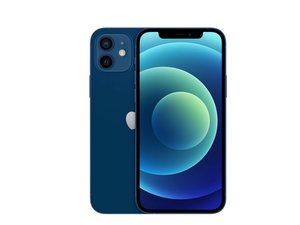
You're seeing solutions for iPhone 12. Select your model to find parts for your device.
Related Problems
iPhone 12
5 problems · View all

- Lines on Screen
- Battery Draining Fast
- Not Charging
- Touch Screen Not Working
- Keeps Restarting
- Randomly Shuts Off
- Overheating
- is Charging but Won't Turn On
- Won't Turn On
- Home Button Not Working
- Blurry Camera
- Black Screen
- Volume Buttons Not Working
- Frozen Screen
- Invalid or No SIM
- Camera Black Screen
- Liquid Detected in Lightning Connector
- Stuck on Apple Logo
- Won't Connect to WiFi
- Ghost Touch
- No Sound
- Backlight Not Working
- Bluetooth Not Working
- Touch ID Not Working
- Glitching Screen
- Slow Charge
- Apps Not Downloading on iPhone
Describe your problem in your own words
