Free Shipping on Domestic Orders $75+
Causes
- Observe what apps or programs may be taking up the laptop's battery the most. Uninstall, or close these apps when they are not in use.
- Unused apps and programs can also be prevented from running in the background. Go to the Settings app, navigate to Apps, then Installed Apps, and select the desired application. Select Advanced Options to then allow you to change the Background Permission settings.
- In the case of a damaged battery, a new battery may be the only way to solve the issue of the battery draining rapidly.
- Overheating, overcharging, and physical or manufacturing defects may cause potential damage or swelling to the Chromebook's battery, and replacement is often required.
- See Lenovo 14e Chromebook Battery Replacement Guide.

Lenovo 14e Chromebook Battery Replacement
- 10 minutesModerate
You're seeing solutions for Lenovo 14e Chromebook. Select your model to find parts for your device.
Related Problems

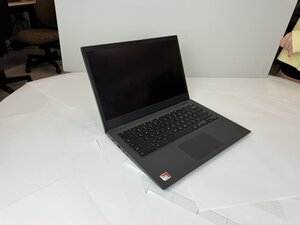
Lenovo 14e Chromebook
Find free step-by-step repair instructions, manuals, schematics, community support, and other DIY resources. You can do it! We show you how.
2 common problems
View allDescribe your problem in your own words
View statistics:
Past 24 Hours:0
Past 7 Days:5
Past 30 Days:27
All Time:263
