Free Shipping on Domestic Orders $75+
Causes
Warning
To avoid damage, do not use harsh chemicals or paper towels, do not spray cleaner directly onto the device, and do not use compressed air on the device.
- Turn off the phone and unplug it from any power sources.
- Take off any protective case or covers.
- Use a dry microfiber cloth to gently wipe the screen in a circular motion to remove dust and fingerprints.
- If needed, lightly dampen a small section of the microfiber cloth with a small amount of distilled water or 70% isopropyl alcohol. Gently wipe the screen with the dampened part of the cloth.
- Allow the phone to air dry to ensure it's completely dry before using it again.
Force Restart (Simple)
- Press and hold the power button until the screen turns black.
- Release the button and then press it again to turn the phone back on.
Force Restart (Advanced)
- Press and hold the power button and volume down button simultaneously.
- Continue holding them for about 10-15 seconds, or until you feel a vibration and the phone's logo appears.
- Release the buttons after the logo appears.
Note
If a restart does not work, especially if the screen is also cracked, a physical hardware issue may be present, and you may need to seek professional assistance.
Related Problems

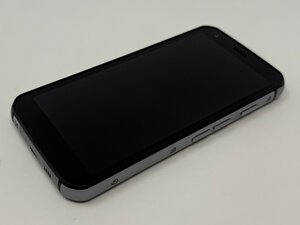
CAT S62
Find free step-by-step repair instructions, manuals, schematics, community support, and other DIY resources. You can do it! We show you how.
4 common problems
View allDescribe your problem in your own words
View statistics:
Past 24 Hours:2
Past 7 Days:7
Past 30 Days:45
All Time:498
