Shop the Holiday Gift Guide
Free Shipping on Domestic Orders $75+
Samsung Galaxy Tab A9 Plus Troubleshooting: Fix Common Problems
The first step towards a working Samsung Galaxy Tab A9 Plus is identifying the problem. Select one of our preferred guides below to diagnose and solve Samsung Galaxy Tab A9 Plus common issues.

Won't Power On
If your Samsung Galaxy Tab A9 Plus doesn't power when you expect it to, follow this troubleshooting guide for potential solutions. The Samsung Galaxy Tab A9 Plus was released in October 2023, and can be identified by the model number SM-X210. After finishing this Troubleshooting guide, we hope that you have resolved any of your device's issues, many of which can be found in this guide. We suggest that you start at the beginning of the Troubleshooting Guide to ensure the issue is not a simple one before moving on to a complicated one.

Related Samsung Tablet Problems

Black Screen
Is your Samsung tablet on, but nothing is on the screen? Can you hear system alerts, but all you see is black? Check out these fixes!


Won't Turn On
Is your Samsung tablet failing to turn on? Does it sit on a black screen with no sign of life? Give these fixes a go.
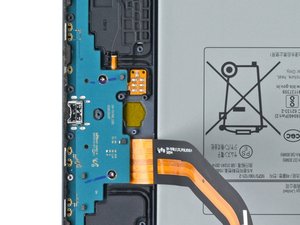
Slow Charge
Is your Galaxy tablet taking ages to charge? Is it giving you warnings about a slow charger connected? Try some of these fixes!
Didn't see your problem? The iFixit Community has answers.
Browse the most common questions asked by our members to see more solutions. Still no luck? You can always ask for help!
LCD screen Dim Backlight issue
Samsung Galaxy Tab A9 Plus
Why my tablet can't receive and make calls
Samsung Galaxy Tab A9 Plus
Samsung Galaxy Tab A9 Plus (SM-X210) stuck in EDL Mode after USB port
Samsung Galaxy Tab A9 Plus
I forgot my tab password?
Samsung Galaxy Tab A9 Plus
Where to buy a Samsung Galaxy Tab A9 Plus replacement battery and cost?
Samsung Galaxy Tab A9 Plus
التابلت الخاص بي Samsung A9+ 5G
Samsung Galaxy Tab A9 Plus
Black dots on camera appearing...
Samsung Galaxy Tab A9 Plus
Tablet won't charge
Samsung Galaxy Tab A9 Plus
