Free Shipping on Domestic Orders $75+

Causes
Make sure there isn't anything blocking the mouse sensor when moving it on a flat surface.
- Some things that can block it include:
- Clear plastic
- Dirt/Debris
- Paper
- Make sure the Sensor is on a flat, non-moving surface as this will dictate whether the mouse detects movement as well
- If possible, try using a mouse pad to stabilize the wireless mouse.
It's important to make sure the wireless mouse is actually connected to the device you're using.
- Bluetooth: Make sure the Bluetooth function works as intended
- Disconnect if needed and reconnect
- Check if there is a connection at all
- USB Dongle: Make sure the dongle isn't blocked by anything
- If there are multiple USB ports, try all of them to make sure it's the dongle that's the issue and not the USB ports
- If possible, try it on another computer to be sure it's not the computer
The little USB Dongle could also be an issue when it comes to the mouse losing function.
Here are some issues to look for:
- The dongle that the mouse comes with is fragile, so handle it with care
- Look at some videos to change the dongle out and connect it with the mouse.
- Replace the dongle if necessary
Related Problems
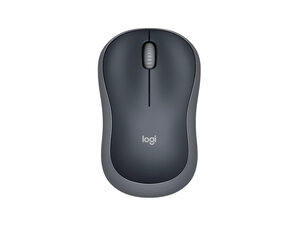
Logitech M185 Wireless Mouse
3 problems · View all
Describe your problem in your own words
View statistics:
Past 24 Hours:1
Past 7 Days:17
Past 30 Days:94
All Time:1,422
