Causes
Solution:
Make sure the tip is fully inserted so the barrel of the tip is slightly below the surface of the Smart Soldering Iron that surrounds the tip insertion point.
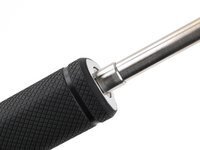

Portable Soldering Station Quick Start Guide
- 5 minutesVery easy
Solution:
Remove the tip and examine the connection for debris or damage.
Clean the tip contacts with a contact cleaner.

Smart Soldering Iron Main Board Replacement
- 10 - 20 minutesModerate
Solution:
Disassemble the Smart Soldering Iron and examine the internal socket for damage or debris.
- Make sure the socket has not come loose from the mainboard.
- You can insert a soldering tip into the socket, and then with gentle pressure check to see if the socket is loose.
- Use contact cleaner to clean the socket contacts.
Related Problems


FixHub Smart Soldering Iron
Find free step-by-step repair instructions, manuals, schematics, community support, and other DIY resources. You can do it! We show you how.
5 common problems
View allHaven't found the solution to your problem?Browse our forum
