Free Shipping on Domestic Orders $75+
Causes
Solution:
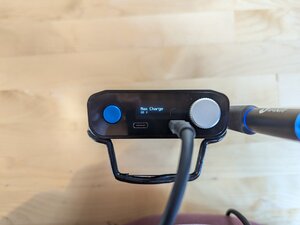
If your Portable Power Station stops charging at a certain percentage every time, the charging threshold setting may have been lowered from 100%.
This is a user-settable limit for battery charge level. When that limit is reached, the battery stops charging. This is why you might see your battery charging indicator stop showing charging.
You can adjust this setting by scrolling through the menu options on the Portable Power Station. Adjust the setting labelled Max Charge.
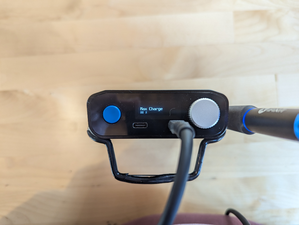
If your Portable Power Station is charging slowly:
Solution:
The Portable Power Station is capable of charging at 45W, but only with a power brick capable of delivering 45W of power. Standard bricks will only output 15W, resulting in a slower charge for your FixHub.
Check the power output of your charger. It should be printed on the power brick.
If your Portable Power Station stopped charging (it charged properly in the past, but has developed issues):
Solution:
Try cleaning the connections with a strong puff of air (like canned air for cleaning).
Inspect the connector closely for corrosion, or bent contacts.
Partially disassemble the unit and inspect the USB-C connector on the mainboard to see if it is loose on the board.
You can use the plug on a USB-C cable to test for looseness — insert it into the USB-C socket and gently wiggle it to see if the socket is loose on the PC Board.
Solution:
If your PPS is older, the battery may be reaching the end of its life. Check the battery health reading in the FixHub Settings menu to confirm degeneration.
You can try recalibrating your battery by discharging the battery to 5%, then leaving the power station on the charger until it reaches 100%. If this doesn’t have any effect, you’ll likely want to replace your battery.

- 15 - 30 minutesModerate
Related Problems


5 common problems
View allDescribe your problem in your own words
