
AirPort Extreme
|
9 Answers 6 Score |
Replacing the capacitors on a iMac G5 |
|
1 Answer 3 Score |
Diagnostic LEDs (4th red) |
|
6 Answers 1 Score |
A couple of capacitor questions... |
|
1 Answer 4 Score |
Flashing folder icon with question mark. |
1.6 GHz, 1.8 GHz (EMC No. 1989), 1.8 GHz (EMC No. 2055), 2 GHz
There are no troubleshooting guides for the iMac G5 17" Model A1058 at this time.
You can cost-effectively upgrade a number of components in the iMac G5 17" Model A1058.
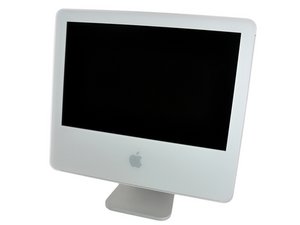
You can verify that you have an iMac G5 17" Model A1058 by checking the processor information through "About This Mac" in the Apple menu.
iMacs tend to look very similar, and it's important to know which machine you have before ordering any replacement parts. Check your machine against the details in this section. If they don't match, find your model under iMac G5 and check the Identification section on its page.
The iMac G5 was a series of desktop Macintosh computers designed and built by Apple Inc. using the PowerPC chip architecture. It was the last line of iMac computers that used a PowerPC chip, making it the last of the iMacs that could run Mac OS (Classic) applications.
Past 24 Hours: 8
Past 7 Days: 56
Past 30 Days: 206
All Time: 246,649


