
Steam Deck Right Trigger Replacement

Carsten Frauenheim and 6 other contributors
Last updated on Dec 17, 2025
Views: 47K
View statistics:
- Past 24 Hours:
- 22
- Past 7 Days:
- 135
- Past 30 Days:
- 584
- All Time:
- 46,720
Comments: 118
113 comments on steps, 5 guide comments.
Go to guide commentsCompleted: 9 10
9 people have marked this guide "completed." Will you be next?
10 people have marked this guide "completed." Including you — great job!
Favorites: 2 3
2 people have favorited (and subscribed to) this guide. Will you be next?
3 people have favorited (and subscribed to) this guide — including you!
OEM Guide
iFixit collaborated with the manufacturer to make this guide.
Introduction
Go to step 1 ↓Use this guide to replace the right trigger assembly (R2) on your Steam Deck LCD. Although nearly identical, the procedure for the left trigger (L2) can be found here.
Remember: follow general electrostatic discharge (ESD) safety procedures while repairing your device.
Replacement triggers require calibration to work as expected. Read about how to do that here.
What you need


-
-
-
Power down your Steam Deck and unplug any cables.
 Ask FixBot
-
-
Tool used on this step:FixMat$36.95
-
Use a Phillips driver to remove the eight screws securing the back cover:
-
Four coarse thread 9.5 mm-long screws
-
Four fine thread 5.8 mm-long screws
-
-
-
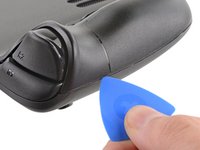
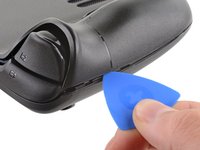
Insert an opening pick into the thin gap between the back cover and the front shell, along the edge of the right grip.
-
Pry up on the back cover to release it from the locking clips.
-
-
-
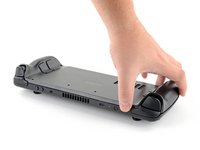
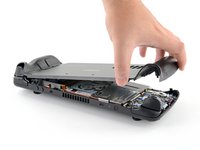
Grip the back cover at the opening you just created and pull it up and away from the device to unclip the long edges.
-
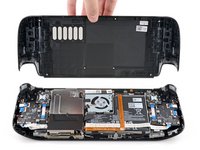
Remove the back cover.
-
-
-
-
Tool used on this step:Tweezers$4.99
-
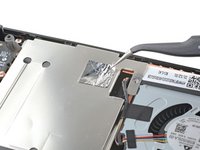
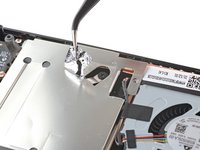
Use a pair of tweezers to remove the piece of foil tape covering the hidden screw on the board shield.
-
-
-
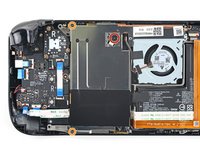
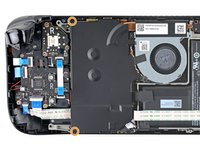
Use a Phillips driver to remove the three screws securing the board shield:
-
One 3.4 mm screw
-
Two 3.7 mm screws
-
-
-
Grip the battery cable by its pull tab and pull it directly away from the motherboard to disconnect it.
-
-
-
-
-
-
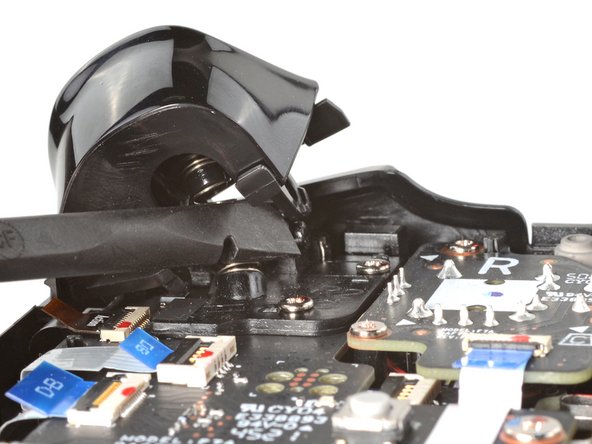
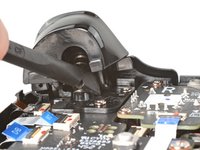
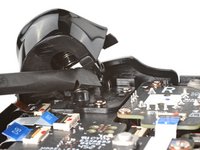
Place the flat end of a spudger onto the inside edge of the trigger's right clip.
-
Pivot the trigger clip out, away, and up from the peg to unlatch it.
-
-
-
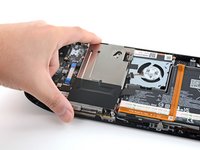
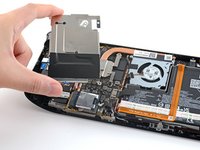
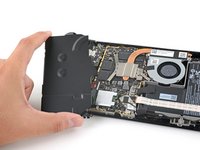
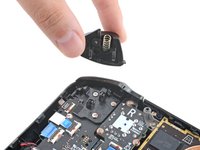
Use a Phillips driver to remove the three 5.2 mm screws securing the right trigger bracket.
-
-












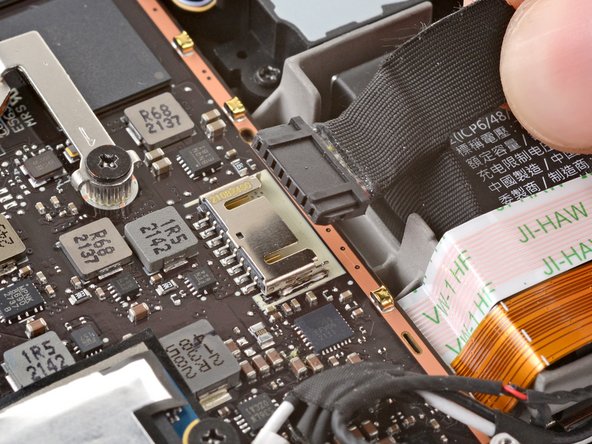



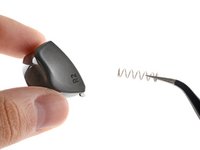


To reassemble your device, follow these instructions in reverse order.
Take your e-waste to an R2 or e-Stewards certified recycler.
Repair didn’t go as planned? Try some basic troubleshooting, or ask our Steam Deck answers community for help.
Cancel: I did not complete this guide.
9 other people completed this guide.


5 Guide Comments
The shield doesn't need to be removed for this repair. The trigger is difficult to replace. Start with the outer peg first, leftside, and then position the right-side above the peg. Apply pressure to get it over the leg, then continue pressure to get it on the peg. A little tricky, and don't forget to attach the spring first.
My transistor on the left daughterboard is missing. I would like to buy a new transistor and solder it myself. Could you please provide me with the specifications of the transistor or give me a link to purchase one? The L2 button is not working because of it. It has the code "303" on it, you can see it in the images above
