Introduction
Use this guide to remove or to replace a worn-out or dead battery in your Fairphone 3.
If your battery is swollen, take appropriate precautions.
What you need
-
-
-
Insert a thumbnail, or a prying tool like a spudger, into the notch at the bottom right of the back cover.
-
Pry the back cover up to start separating its plastic clips.
 Ask FixBot
-
-
-
Slide around the bottom right corner of the back cover to loosen the lower plastic clips.
-
Lift the back cover to release the rest of the plastic clips and remove it.
-
-
-
-
-
-
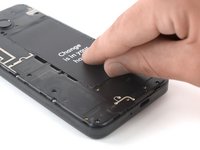
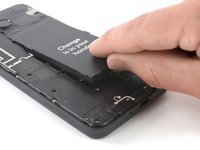
Use a fingernail or a prying tool at the marked notch to lever the battery out of its recess.
-
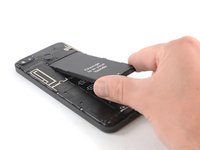
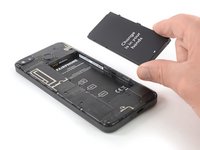
Lever the battery up until you can get a good grip.
-
-




For optimal performance, calibrate your newly installed battery: Charge it to 100%, and keep charging it for at least two more hours. Then, use it until it shuts off due to low battery. Finally, charge it uninterrupted to 100%.
To reassemble your device, follow these instructions in reverse order.
Take your e-waste to an R2 or e-Stewards certified recycler.
Cancel: I did not complete this guide.
17 other people completed this guide.


5 Guide Comments
Vielen Dank!
Einfach und direkt umgesetzt..
Imagine if all cellphone producers made it this easy :-)
Hi, I have a Fairphone 3 which I bought on Ebay maybe 4 years ago. Recently I've noticed the battery refuse to charge. I tried plugging it in with different adaptors and leads, also with a portable charger and that seemed to work for a while. But now it is becoming more difficult and I worry that I'll get caught out in a critical moment like not having a ticket read in crucial QR situation. Do you think this is a dying battery? Or should I take it to a shop specialising in FPs?
