
AirPort/Bluetooth Board
|
5 Answers 7 Score |
Mac Mini won't turn on |
|
12 Answers 9 Score |
Fan stuck at full speed |
|
3 Answers 3 Score |
How to remove logic board? |
|
13 Answers 7 Score |
Mac keeps restarting for no clear reason. |
These are some common tools used to work on this device. You might not need every tool for every procedure.
A1347 (EMC 2442 Macmini5,1) 2.3 GHz (Dual i5), A1347 (EMC 2442 Macmini5,2) 2.5 GHz (Dual i5), A1347 (EMC 2442 Macmini5,2) 2.7 GHz (Dual i7), A1347 (EMC 2442 Macmini5,3) 2 GHz (Quad i7)
You can cost-effectively upgrade a number of components in the Mac mini Mid 2011.
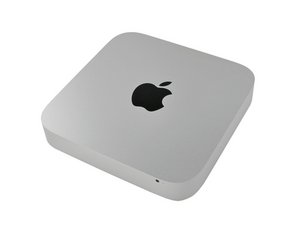
A year after its release, the A1347 Mac mini was updated to include a thunderbolt port, Core i5 or i7 processors, and one less optical drive. Apple promised "2x faster everything" for this Mac mini.
This Model can be differentiated from its predecessors by the lack of the optical drive opening in the front of the device and by the thunderbolt port on the back of the device.
Past 24 Hours: 20
Past 7 Days: 145
Past 30 Days: 610
All Time: 554,601


