Battery
|
11 Answers 17 Score |
Dell laptop won't start! |
|
7 Answers 3 Score |
Thermal pad replacement alternatives |
|
3 Answers 2 Score |
My D620 Latitude keeps shutting down |
|
2 Answers 0 Score |
Why does my display dim when I remove ac adapter after charging? |
Track down a number of hardware problems using the Dell Latitude D620 troubleshooting guide.
Dell Latitude D620 can run all versions of Windows 8.1, 8, 7, Vista, and XP seamlessly (except for tablet versions of the Windows operating system).
Dell Latitude D620 uses the DDR2 memory which improves performance and reduces power consumption. It is important for users to have sufficient RAM because the larger amount of RAM allows more programs to be executed simultaneously. The D620 system has two available SODIMM slots to support up to 4GB of RAM. In addition, the memory bandwidth is 667MHz, 8.5 GB/s with dual channel, to improve performance.
A minimum of 2 GB of RAM is recommended for good system performance.
Dell Latitude D620 two choices for graphic cards: NVDIA 256MB Quadro NVS 110M TurboCache, or Intel Graphics Media Accelerator 950.
Dell Latitude D620 has hard drive capacities up to 100GB. However the end user can purchase a third party SATA drive larger than 100GB if they chose.
We recommend users to use external hard drive and jump drive for convenience.
Dell Latitude D620 allows users to upgrade the optical drives to 24X CD-RW/DVD, or 8X DVD+/-RW.
We recommend users to use external optical drives for convenience.
Dell Latitude D620 provides different colors of cases for users to create the D620 systems with their personal style.
The Dell Latitude D620 is another laptop from Dell targeted for the business sector. The D620 has a dual-core processor that can run multiple tasks efficiently. Since the Latitude is meant to be used for business purposes the parts are standardized throughout the device, making spare parts easier to find for support. The D620 also has superior built-in wifi that supports a wide spectrum of wireless devices.
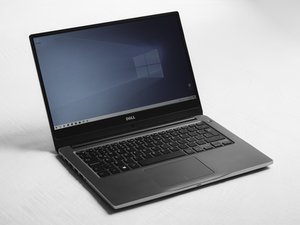
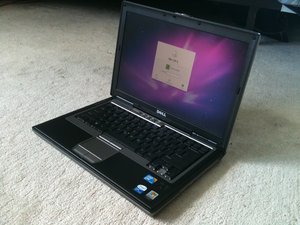
The Dell Latitude D620 can be identified by the name and model number in the upper left corner above the keyboard.
Dell Latitude D620 User's Guide
Dell Latitude D620-Benutzerhandbuch
Dell Latitude D620 Quick Reference Guide
Dell Latitude D620 Quick Reference Guide
Dell Latitude D620 Quick Reference Guide
Dell Latitude D620 Quick Reference Guide
Dell Latitude D620 User's Guide
Руководство пользователя Dell Latitude D620
Guia do Usuário do Dell Latitude D620
Guía del usuario de Dell Latitude D620
Guide d'utilisation du Dell Latitude D620
Användarhandbok för Dell Latitude D620
دليل المستخدم Dell Latitude D620
CPSU-REGAN-S10S24G35
4 Members
48 Guides authored
Past 24 Hours: 2
Past 7 Days: 15
Past 30 Days: 75
All Time: 74,058