Battery
|
3 Answers 4 Score |
phoenix bios password no resetting |
|
2 Answers 2 Score |
restart at windows boot , boots to bios |
|
5 Answers 1 Score |
My computer has been really slow for about three months? |
|
1 Answer 0 Score |
Troubleshoot Booting Problem, turns on, fans whiz for a moment |
If you are having problems with your Dell Inspiron 1501, take a look at this troubleshooting page.
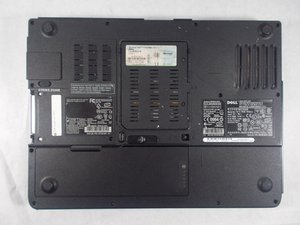
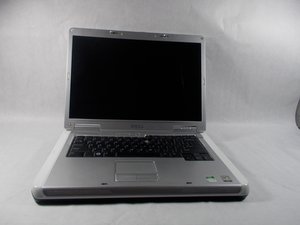
Released in 2006 as a part of the Dell Inspiron line of laptops, the Dell Inspiron 1501 was a more budget friendly alternative to the popular Inspiron e1505 series.
This particular model features a 1280 x 800 resolution 15.4" display, an AMD Turion 64 dual core 1.6 GHz processor, and 1GB of DDR2 RAM.
Its backplate is black and the rest of the laptop is silver with white trimming. You can identify the laptop by looking for the model label that is above the keyboard on the left side.
inspiron-1501_service-manual_p.pdf
Dell Inspiron 1501 Benutzerhandbuch
Dell Inspiron 1501 Owner's Manual
INSPIRON™ 1501 Setting Up Your Computer (EN, ZH, JA, KO)
Dell Inspiron 1501 Setting Up Your Computer (EN, FR, DE, IT, PT, ES)
Dell Inspiron 1501 Manual del propietario
Dell Inspiron 1501 Manual do proprietário
Dell Inspiron 1501 Manual de utilizare
Dell Inspiron 1501 Manuel du propriétaire
Dell Setting Up Your Computer (EN, DA, NL, FI, NO)
Dell Inspiron 1501 Руководство по эксплуатации
Dell Inspiron 1501 Gebruikershandleiding
Dell Inspiron 1501 Manuale del proprietario
Inspiron 1501 — Instrukcja użytkownika
Dell Inspiron 1501 — Manuel du propriétaire
Dell Inspiron 1501 Manual del propietario
Dell Inspiron 1501 Manual do proprietário
Dell Inspiron 1501 Manual de utilizare
Dell Inspiron 1501 Owner's Manual
Past 24 Hours: 1
Past 7 Days: 13
Past 30 Days: 53
All Time: 9,409