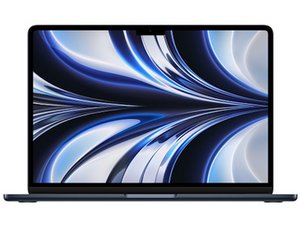

Repair guides, support, and troubleshooting information for the 2022 13-inch MacBook Air, featuring Apple's M2 SoC. Released on July 15th, 2022 and identified by model number A2681.

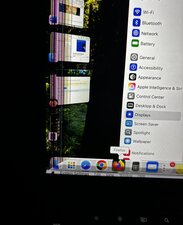
Why did these lines appear on the screen?

Why did these lines appear on the screen? Just suddenly showed up this morning. No cracks on the screen that I can see. Just installed latest update a few days ago. Doesn’t appear on other displays when I mirror screen.
Block Image
Answer this question I have this problem too

Is this a good question?

Score 0
2 Comments

Is it cracked? If iy is, try:

1. Cleaning the screen.

2. Replacing the display altogether.

by

@wholovechrome I'm not clear on exactly how cleaning is going to help a cracked screen. Care to elaborate?

by

Add a comment

1 Answer

Most Helpful Answer

It looks like there is a small crack in the lower left corner of the screen. I have seen cracks like these often. It generally happens when something gets shut in the laptop (charge cable, for example).

You’ll need to replace the display assembly to correct this.

Was this answer helpful?

Score 3

1 Comment:

Here's the guide which offers the parts info MacBook Air 2022 (M2) Screen Replacement

by

Add a comment

Add your answer

Dr. B will be eternally grateful.
View Statistics:

Past 24 Hours: 0

Past 7 Days: 1

Past 30 Days: 6

All Time: 55