
Free Shipping on Domestic Orders $75+

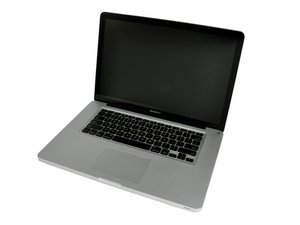
Released April 2010 / 2.4, 2.53 GHz Core i5 or 2.66 GHz Core i7 Processors

Drive won't fit in the enclosure you sold me.

There are four metal tabs that resemble screws that stick out on the sides of the drive. I am unable to insert the drive into the enclosure you sold me. I know I have the correct model of my MacBook Pro but the drive clearly doesn't fit. Can these tabs be removed in order to fit the enclosure or do I need to get a different one?

Update (06/27/25)

See the tabs circled in red.

Block Image
Answered! View the answer I have this problem too

Is this a good question?

Score 0
3 Comments

Can you post a few pics so we can see what you are facing,

by

See the tabs circled in red.

by

@danj I think the photo is attached, I'm not sure how to get it to post though.

by

Add a comment

1 Answer

Chosen Solution

Ok, got it! These are the mounting pins (threaded screw) that the bracket holds the drive in place which you can see in Step 7 in this guide and the other side slides into the holes provided.

Then jump to Step 11 which points to the four mounting pins in this guide MacBook Pro 15" Unibody Mid 2010 Hard Drive Replacement you'll need a Torx T6 screwdriver to remove them.

Was this answer helpful?

Score 2

2 Comments:

Got them out, and it works! Thank you!

by

@christophe38981 - If you're good, please accept the answer, thanks!

by

Add a comment

Add your answer

Christopher J will be eternally grateful.
View Statistics:

Past 24 Hours: 1

Past 7 Days: 2

Past 30 Days: 5

All Time: 67
