
Free Shipping on Domestic Orders $75+

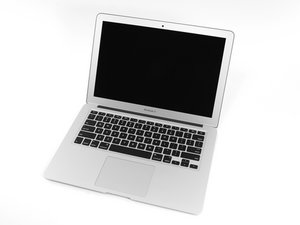
The March 2015 update of Apple's 13" MacBook Air features fifth generation Intel Core i5 and i7 processors, resulting in slightly increased performance and battery life.

Can't see new hard drive in boot up disk utility

Hi,

I have just bought a new SSD for my Macbook Air 2015. I mounted the harddrive successfully in the computer (following the ifixit guide on youtube) and started it via Internet Recovery.

At this time, in disk utility, I could see the hard drive at 480 gb. I erased it to format it into GUID and Mac OS Extented.

I started the download of Big Sur, bur after a while it gave me an error, telling me that it failed to download. The only thing to do was to restart the internet recovery.

Now, however, I can no longer see the drive in disk utility, and there is no place where I can install the OS. I can't see the disk in terminal using "diskutil list" either. I can onky see "OS X Base System" at 2GB.

It's impossible that there s a hardware problem, but I can't find a way to fix this.

Please help. I'm going slightly mad. I need to fix the computer asap as I need it for work.

Here is what I see:

Disk Utility with "get info" on the side:

https://ibb.co/cT4ZYmL

Terminal "diskutil list"

https://ibb.co/DVdLmR7

OS X installer:

https://ibb.co/7KdQnSM

I have googled for hours with no luck. A thousand hugs to the person helping me to find the solution!

Thanks!

Answer this question I have this problem too

Is this a good question?

Score 0
3 Comments

What is the SSD solution you put in? Make and model of the drive.

by

@danj Thank you for your reply!

It's a Transcend TS480GJDM820 JetDrive 820.

https://www.transcend-info.com/Products/...

by

@danj should add that I've tried resetting nvram with cmd, alt, r, p on boot up. No luck.

by

Add a comment

1 Answer

Most Helpful Answer

Confusion and confusion!

In an effort to simplify their web page they grouped the MacBook Air’s into a single line item:

Mid 2013 –2017 MacBook Air 6,2 / 7,2 - JetDrive 850 (NVMe) or JetDrive 820 (AHCI)

Sadly there is a bit of differences across these!

Mid 2013 & Early 2014 - 5.0 GT/s PCIe x2 uses PCIe/AHCI drive

Early 2015 & 2017 - 8.0 GT/s PCIe x4 uses PCIe/NVMe drive

Block Image

So what does that mean here?? You’ll need to return the drive as its not the correct one for your system. You’ll need to get the NVMe drive.

Was this answer helpful?

Score 2

4 Comments:

@danj I'm very sorry. I realize now that when I searched the internet for the model no, i got the wrong one as they sell both on their amazon page. It is in fact the 850 NVMe I have. Sorry about the confusion.

Another update: After rebooting with internet recovery about 4-6 times, the hard drive is suddenly showing up again in disk utility. I have absolutely no idea why, as I didn't do anything other than rebooting several times.

I hope I can successfully download big sur this time so I don't have to go through this again.

by

@thephilgrim - Well thats good!

by

Dan, the problem actually never got resolved. I have no idea what's going on.

After suddenly seeing the drive again, I formated it into GUID again and tried to install big sure another time. Again, it gave me the error "PKDownloadError error 8."

I was forced to restart with internet recovery again. After that, the disk was gone again.

After rebooting twice with internet recovery, I could see the disk again, so I formatted it, and rebooted the computer with a bootable USB drive with El Capitan on it. But when it asks where I want to install El Cap, it doesn't list the hard drive, and again I can't see it in disk utility. Every time I start with the bootable USB drive, the disk is not seen.

In order to see it again, I have to reboot 1-3 times with internet recovery, and suddenly it's there.

What can I do? :S

by

@thephilgrim - Might be a bad SSD, I would contact the seller to get a replacement.

by

Add a comment

Add your answer

Philip will be eternally grateful.
View Statistics:

Past 24 Hours: 0

Past 7 Days: 0

Past 30 Days: 3

All Time: 319
