Free Shipping on Domestic Orders $75+

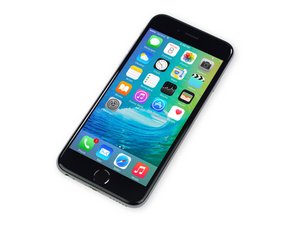
Repair information and guides for the iPhone 6S released by Apple on September 25, 2015. Models: A1688, A1633

iPhone won't power on even after battery replacement

Hi, my old 6s had been sitting in my drawer powered off for a few weeks as i got a new iphone X until recently i decided to try and turn it on but couldn't get it to power on even after trying a hard reset. I just replaced the battery thinking it may have been the battery but it still will not turn on or charge. Could it be the charge port flex cable and is there a way to test the charge port to make sure it's the flex cable and not something else? I left the new battery to charge for a while but didn't feel the battery getting warm at all so i assume it's not charging at all. The phone worked perfectly fine before i put it in storage so not sure what happened.

Answered! View the answer I have this problem too

Is this a good question?

Score 0
Add a comment

2 Answers

Chosen Solution

When troubleshooting battery/charging issues, I would do the following (in order):

  1. The Lightning cable 8-pin connector should be sitting flush with the housing and completely inserted. If it is not, there could be lint/dust/debris inside the port impeding a proper connection. You can clean it out with fine point tweezers or a dental pick. Just be careful not to damage the pins inside the Lightning Port.
  2. Change the battery. The battery is the weakest link in the entire phone and certainly for charger related issues. It is also the easiest thing to replace. Use a battery utility, such as coconutBattery (for Mac) or 3uTools (for Windows) to test the battery prior to removal. Anything less than 70% of design capacity will require replacement.
  3. If the battery is in good condition, you can use a USB Ammeter to determine if the phone is really drawing current when it says it's charging. If it isn't drawing current, then I would change the Lightning/Charge Port.
  4. If a new battery and charge port still don't resolve the issue, then you either have faulty replacement parts (possible) or a logic board issue.

Was this answer helpful?

Score 4

1 Comment:

I ended up replacing the charge port flex cable and it still won't turn on. I guess there is an issue with the logic board then.

by

Add a comment

There is only one way to know if a phone is charging or not—-the usb ammeter. A usb ammeter is inexpensive, and it will reveal if the phone is charging as normal (~1amp), or zero, or low, or sporadic—meaning if adjusted *just* right, the phone will charge at 1amp. You can also take a normally charging phone like your iPhone X, and then swap your cables and bricks to make sure that you have a ‘known good’ combination to try on your phone.


Grab a usb ammeter and see what the results are and post back. (If iFixit still doesn’t sell these, then you can grab one at iPad Rehab Supply or take your chances on eBay.)

Was this answer helpful?

Score 0

4 Comments:

I bought an ammeter and no it does not show it's charging as the amps show 0. The cable and power block work fine so it's not that.

by

great--then start troubleshooting. get a new battery and a new dock and see which of those is the culprit--the ammeter will tell you. If neither--then the common fault is tristar damage from using a non-certified charger in the past.

by

I replaced the battery and a new charging flex cable already and it still wouldn't boot. Strange cause i never use a non-certified charger and never will cause of the damage that can be done when using those cables. Thanks for the help i probably will just take it to a local repair shop to fix the tristar.

by

I changed the battery (have tried 2 new bats) and neither will charge, yet if I put the old battery back in it charges? So it can’t be the charge port?! Any ideas

by

Add a comment

Add your answer

John Nguyen will be eternally grateful.
View Statistics:

Past 24 Hours: 0

Past 7 Days: 7

Past 30 Days: 78

All Time: 862
