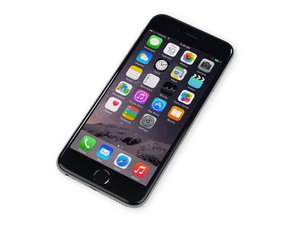

Repair information and guides for the iPhone 6 that was released on September 19, 2014. Model Numbers: A1549, A1586, and A1589

WIFI signal is weak, which part should I replace

My iPhone 6 wifi is very weak unless I'm RIGHT next to the router. I've tried all the software fixes, and determined it's hardware.

Will simply replacing the antenna or the antenna cables fix it or is this a common issue where the chip on the mother board is bad?

If it's the antenna cable or module, which one is better to try first? I don't want to buy the wrong one.

Is it more likely this: iPhone 6 Top Left Antenna

or this: iPhone 6 Logic Board Antenna Flex Cable

Thanks!

Replace the antenna flex cable that has four connectors to the logic board compatible with the iPhone 6 model A1549, A1586, A1589 smartphone. Image

Product

iPhone 6 Logic Board Antenna Flex Cable

$9.99

Replace the Wi-Fi antenna assembly that fits in the top left of the rear case compatible with the A1549, A1586, A1589 model iPhone 6. Image

Product

iPhone 6 Top Left Antenna

$9.99

Answer this question I have this problem too

Is this a good question?

Score 19

4 Comments

Is there a guide on replacing the antenna rather than the complete Mother Board?

by

Yes on youtube

by

I replaced the wifi antenna and my problems still accure. Weak wifi, weak bluetooth, and gps signal is all over the place. Any suggestions?

by

Yes Sir, You will have to restaure it and then change the Logic Board Antenna Flex Cable.Good luck.

by

Add a comment

16 Answers

Most Helpful Answer

Not sure why @tomchai said none of those because replacing this:

iPhone 6 Logic Board Antenna Flex Cable

should certainly fix the problem. Everytime a customer comes with wifi being weak and all on my own phones for re-sale I replace the antenna in the top left corner (under the logic board) and wifi range is back to normal.

Replace the antenna flex cable that has four connectors to the logic board compatible with the iPhone 6 model A1549, A1586, A1589 smartphone. Image

Product

iPhone 6 Logic Board Antenna Flex Cable

$9.99

Was this answer helpful?

Score 8

6 Comments:

Replacing the F cable antenna does the job?

by

I did replace it but still same no luck

by

Worked for me on a customer's phone. Thanks man.

by

Perfect! Thank you! It worked!

by

thanks worked for me

by

Show 1 more comment

Add a comment

None of those.

First you have to tell us if the wifi is 2.4G or 5G, they use different antennas.

Was this answer helpful?

Score 4

9 Comments:

How can I look this up?

by

Someone on the Apple forums said that changing his router from 2.4Ghz to 5Ghz did the trick. I will try this.

by

2.4ghz is better for long range, but it's worth a shot

by

Also understand many devices are not 5ghz compatible, so this may not be the best long term fix.

by

My iPhone 6 is working on 5ghz but it's not long range. I have replace 4 hole antenna (gps+wifi). But still the same. 2.4ghz WiFi is not working good it is very weak.

by

Show 4 more comments

Add a comment

I have replaced the F Cable antenna and it does the job, Wifi is running at full strength.

You can buy from eBay for cheap just for $2-3 only. Does not have any quality issue.

F Cable Antenna

Replace the antenna flex cable that has four connectors to the logic board compatible with the iPhone 6 model A1549, A1586, A1589 smartphone. Image

Product

iPhone 6 Logic Board Antenna Flex Cable

$9.99

Was this answer helpful?

Score 2

4 Comments:

Great, I will try this.

by

One thing more, scratch the holes of the screws, the edge of the holes in the metal housing, where the head of the screw sit.

by

The screws at the bottom of the phone? What does scratching the holes do?

by

It works for me too

by

Add a comment

I know this doesn't really answer your question, but is the phone still under warranty? I would try to get a new phone under warranty before replacing any parts with your own coin.

Was this answer helpful?

Score 1

1 Comment:

It's out of warranty

by

Add a comment

Basically if your wifi is greyed out then it's a problem with your wifi module on the board. If the signal is weak its either an antenna issue or a software issue....or a communication problem with your router.

Was this answer helpful?

Score 1

2 Comments:

It does it with any router, including one I use my 6+ on constantly on same bandwidth at my house.

by

So it's most likely one of two things. Either the antenna connected to the board or your housing, if bent , could be causing a weak signal. I'd first try the wifi signal antenna...much easier and less expensive, then possibly a new back metal housing.

by

Add a comment

I corrected this problem recently. The first repair shop replaced the customers damaged chassis with a used one. This is when the 2.4GHz signal evaporated just as described. After I got the device history, I replaced the chassis with a nice straight one and that corrected the 2.4GHz signal problem. If you're 5GHz signal is strong, it's not likely to be the F-cable. You can further narrow it down by testing GPS and BT which use the same antenna. If they both work well, it's probably a bent chassis.

Was this answer helpful?

Score 1

1 Comment:

On a iPhone 6 that has a weak 2.4ghz wifi signal and 5ghz works fine, also it has problems with gps. What would you think the problem is? Thx for the help!

by

Add a comment

Flexing the frame brought the wifi back for me too.

I applied pressure with my thumbs one on corner by wifi icon and other thumb diagonal corner.

I supported other corners in the back with my fingers.

Hold the phone like you watching a movie:)

It works!!!!! Yeah !!!

Was this answer helpful?

Score 1
Add a comment

i have the same problem. i cannot see 2.4ghz wireless networks. I changed many components including f tri chip on the 2.4ghz antenna line. still weak. my last resort is replacing the wifi chip. Any suggestions would be appriciated. i also check up top near the standoff screw where small silver antenna connect to phone frame. all inductors and caps have been replaced including f tri chip.

Was this answer helpful?

Score 0

1 Comment:

Did u resolve?

by

Add a comment

Did You Repair It? Im having The Same. Problem For Ages

Was this answer helpful?

Score 0

3 Comments:

5ghz works perfectly I'm happy. So this is not a hardware issue a software glitch because the 5ghz is working like a charm with full range better than my android unlike 2.4ghz

by

Not yet, but I'm going to try what David F and sasha recommended.

by

I replaced the F antenna cable and it works perfectly

by

Add a comment

I have the same problem.

what can we do?

Is there a solution?

Was this answer helpful?

Score 0

1 Comment:

my phone have inaccurate gps location and weak signal. First I replaced the wifi antenna (quite easy), only GPS function improved. Then I replaced the F antenna cable which connecting the antenna to the logicboard (you have to take the logic board out to replace it). Then both GPS and wifi work at full range. Good luck

by

Add a comment

I tried to do this, but it did not work anyway

My problem is

2.4GHz Wifi - does not work - weak signal - need to stay near the router

5GHz Wifi - works perfectly - full signal - even away from the router

Bluetooth - does not work

Was this answer helpful?

Score 0

2 Comments:

Did u replaced F Cable?

by

How do I find out if my wifi router is 2.4GHz or 5GHz ??

by

Add a comment

I dropped my phone and it started having this problem on both my work and home networks, so I knew it was probably not the router.

After reading David Rowe's response above I flexed the phone in a few different ways and the signal popped right back to full strength!

Worth a try...

Was this answer helpful?

Score 0
Add a comment

I replaced both parts i own an iphone 6, and after i replace both parts the phone started working just like new, i would recomend to try it, now both the wifi signal is super strong, and the gps is pinpoint accuracy, change both parts, you can find it cheaper on ebay

Was this answer helpful?

Score 0
Add a comment

I had this problem too, and I was trying all of these complicated solutions I was finding on the internet. In the end l, however, it ended up being my new phone case blocking signals on my phone. Take off your phone case and see if it makes any difference.

Was this answer helpful?

Score 0
Add a comment

Here are the tips on how to boost WiFi signal on iPhone using DIY WiFi Booster techniques that work and most useful: https://www.howtoisolve.com/how-to-boost...

Was this answer helpful?

Score 0
Add a comment

Thanks for wifi antenna replacement helped me..

Was this answer helpful?

Score 0
Add a comment

Add your answer

mccalldoug will be eternally grateful.
View Statistics:

Past 24 Hours: 2

Past 7 Days: 16

Past 30 Days: 179

All Time: 139,964






