
Free Shipping on Domestic Orders $75+

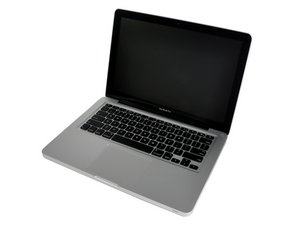
Late 2011 model, A1278 / 2.4 GHz i5 or 2.8 GHz i7 processor.

Random kernel panics: ram? Not really

Hi guys, I'm Experiencing random kernel panics with my MacBook Pro 13" Unibody Late 2011.

First with old ram ''I received random kernel panic.

MCA error-reporting registers:

IA32_MC0_STATUS(0x401): 0xb200000000030005 valid

MCA error code: 0x0005

Model specific error code: 0x0003

Other information: 0x00000000

Threshold-based status: Undefined

Status bits:

Processor context corrupt

Error enabled

Uncorrected error

IA32_MC1_STATUS(0x405): 0x0980000000000000 invalid

IA32_MC2_STATUS(0x409): 0x0000000000000000 invalid

IA32_MC3_STATUS(0x40d): 0x0000000000000000 invalid

IA32_MC4_STATUS(0x411): 0x0000000000000000 invalid

IA32_MC5_STATUS(0x415): 0x0020000000000000 invalid

IA32_MC6_STATUS(0x419): 0x0020000000000000 invalid ''.

I thought it was a RAM issue so I changed the slot but same problem.

Then I changed my corsair 4 GB stick (CMSA4GX3M1A1333C9) with another 4 GB corsair. Panic still present but less frequent with a different kernel panic.

Then I switched to 2x2GB Sticks but same problem.

I then changed my hard disk to a new SSD: same problem.

I then cleaned PRAM and SMc: same kernel panic.

I really don't know what to do next.

The basic setup I put for testing is: Chrome opened with youtube, Safari opened with Youtube, xcode and eclipse opened.

In 2 hours the system will kernel panic.

Anyone has a new idea to test? Could it be a logic board problem? Maybe I'm so unlucky that I tried 3 different ram sticks and all of them are slightly incompatible to cause this random kernel panic?

Thanks

Answered! View the answer I have this problem too

Is this a good question?

Score 0
1 Comment

Guys, I found a workaround that fixed the problem for me.

I deleted the 2 kexts from /System/Library/Extensions/AppleCPUIntelPowerManagement* and from that moment on, never had a single kernel panic.

Not elegant but it worked for me!

by

Add a comment

1 Answer

Chosen Solution

Experience, to me, indicates a bad hard drive/IR cable that may or may not have corrupted your hard drive. If you don't have an external back up drive I would get one. Back up your user data ASAP. Try starting up in Safe Mode by holding down the Shift key on start up. If you have another Mac available try repairing the hard drive in Target Mode.

After you have your user data backed up, erase the drive using the "write zeros" option in Target Mode. Start up with a black drive and an internet connection to see if you can download and install a new system. But after trying all this and failing, replace the HD cable with a new one (no used parts here) and hope it hasn't destroyed your hard drive.

Was this answer helpful?

Score 1

7 Comments:

Hi mayer, thank you. I did another test: I removed the main HD (so that no one would use the hd cable) and booted from an usb device (my old mac's hd); unfortunately I'm still getting kernel panics also running from a usb hd (so I think the problem is not in the HD cable). I'm in a deadlock!

by

A little extract from the kernel panic:

Processor 2: IA32_MCG_STATUS: 0x0000000000000005

IA32_MC0_STATUS(0x401): 0xb200000000030005

Processor 3: IA32_MCG_STATUS: 0x0000000000000005

IA32_MC0_STATUS(0x401): 0xb200000000030005

panic(cpu 0 caller 0xffffff800fcdcad9): "Machine Check at 0xffffff80100aff89, registers:\n" "CR0: 0x000000008001003b, CR2: 0x0000000000000000\n" "RFL: 0x0000000000000246, RIP: 0xffffff80100aff89, CS: 0x0000000000000008, SS: 0x0000000000000010\n" "Error code: 0x0000000000000000\n"@/SourceCache/xnu/xnu-2422.110.17/osfmk/i386/trap_native.c:168

+

BSD process name corresponding to current thread: kernel_task

Mac OS version:

13E28

System uptime in nanoseconds: 245375755308

last loaded kext at 67532334983: com.apple.driver.AudioAUUC 1.60 (addr 0xffffff7f911b7000, size 32768)

by

What systems were on the external system sources? Your machine requires 10.7.2 or greater.

by

Both the hard disks are on 10.9.4. I'm running with temperatures between 70° C - 80°C. Can overheating produce such random kernel panics?

by

Just an update: I changed my old ram with a new kit from crucial (it has a utility to check your precise ram model needed) but same kernel panic:

It seems as if Kernel com.apple.driver.AppleIntelCPUPowerManagement(217.92.1) is causing the kernel panic.

by

Show 2 more comments

Add a comment

Add your answer

snapshot will be eternally grateful.
View Statistics:

Past 24 Hours: 0

Past 7 Days: 0

Past 30 Days: 5

All Time: 2,110