Airport Card
|
10 Answers 4 Score |
Pismo will not start up |
|
5 Answers 0 Score |
PowerBook Pismo G3 No answer after replacing HDD |
|
2 Answers 2 Score |
What are the best upgrades for the PowerBook G3 Pismo? |
|
2 Answers 4 Score |
PowerBook Pismo won't start at all, not even charge the battery? |
These are some common tools used to work on this device. You might not need every tool for every procedure.
400 MHz, 500 MHz
Track down a number of hardware problems using the PowerBook G3 Pismo troubleshooting guide.
There are a number of components in the PowerBook G3 Pismo that can be cost effectively upgraded.
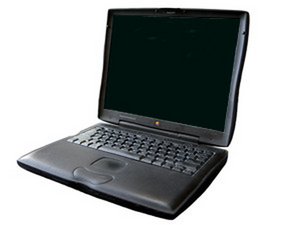
The Pismo was available at a CPU clock of 400 or 500 MHz, with a front side bus of 100 MHz, one-third faster than the Lombard's front side bus; it also implemented a unified motherboard architecture, and replaced SCSI with the newer FireWire interface (IEEE-1394). It was also the first PowerBook with AirPort networking as an official option.
The PowerBook G3 Pismo was the last of the G3 line. It was succeeded by the PowerBook G4 Titanium models.
Use the laptop identification system to help you identify your machine. PowerBooks tend to look very similar, and it's important to know which machine you have before ordering any replacement parts.
Past 24 Hours: 3
Past 7 Days: 14
Past 30 Days: 80
All Time: 95,992