1

Score

Avatar
Mike
13

Asked

Is backlit keyboard compatible with MacBook?!

History

Just wanted to see if i could install the backlit keyboard on my MacBook. Mine did not come with it and im kicking myself! are the connectors all there? Can i just buy the lights or do i need the entire keyboard asembly? Thanks!!

Edited by

Hey guys, I just did it. For better results, though remove the optical drive. It is much easier. And this is where I bought the backlight film - http://www.ebay.co.uk/itm/USED-APPLE-Mac...

Martin Stefanov,

Post Answer

2

Score

Avatar
mayer
121.9k

Answered

Accepted Answer

PermalinkHistory

You should be able to install the backlit keyboard with no problem. Here's the part: http://www.ifixit.com/MacBook-Parts/MacB...

Here's how to put it in: http://www.ifixit.com/Guide/Repair/Insta...

As far as I know, the whole top has to be replaced.

Edited by

4

Score

Avatar
Muhibmc
49

Answered

PermalinkHistory

hey i just added a backlight sheet to my macbook aluminum 2.0Ghz it is done very easily. i purchased it off of ebay for $25.00, the item number is (220714814758) it should still be there....

the process is very simple, as long as you can follow instructions and apply. just to be clear you DO NOT have to replace the whole upper case....or even the keyboard for that matter....unless you want the logo on the f5 and f6 keys, like the MBP.....the original keyboard from the macbook 2.0 will work just fine...by default the macbook will recognize the f5 key to dim the backlight and f6 to make it brighter as soon as you install the backlight sheet.

the connector for the backlight is the small black one to the left of the ram, you can not miss it.... there should be no ribbon cable attached to it....since you don't have the backlight...

that connector should be there in all of the MacBooks 2.0 unibody if it isn't for whatever reasons then your simply out of luck...

follow the guide via the link:

Installing MacBook Unibody Model A1278 Upper Case

note: you do not have to remove the LCD, HD, battery connector etc, just remove the components that will allow you to lift off the logic-board.

once the logic board is off then it is as simple and removing the black film from the bottom of the keyboard which is applied with some mild adhesive at the edges... **there will also be a clear film right under the black one, you do not have to remove that one.

now just place the backlight sheet in and re-secure the adhesive at the edges and put everything back together.... when you start up your MB the backlight will automatically be recognized....

hopefully all of your questions are answered....

ENJOY!
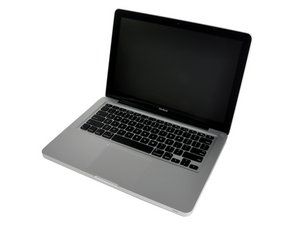
2

Score

Avatar
Majesty
12.2k

Answered

PermalinkHistory

From what I have read on several posts, you have a very good chance of being able to. But 15% of these machine lack the proper connector and it can't be done on this 15%. Just Google it and read the threads on this topic. Apparently Apple used different connectors on some of the non-backlit topcases for some odd reason. But there is an 85% chance yours has the proper connector

1

Score

Avatar
bagheraa
13

Answered

PermalinkHistory

Hi, me again.

I found an item on Ebay to replace my keyboard, with the backlit option.

I've also checked my computer and found the proper connector for the backlit option.

I'll post my feedback asap.

EDIT: i received the part and installed it on my Macbook Unibody. The backlit works perfectly which converts my Macbook into an hybrid Macbook Pro.

The operation is quite hard to do and it took me about 2 hours to do it fully.

If i can help someone else, i would be glad to do so.

Edited by

0

Score

Avatar
Mahmoud
49

Answered

PermalinkHistory

you can if it is a uni-body not a white one and yeah u need to replace all the upper case for that and it's gonna take sometime for you to change it but believe me it's worth it ;)

The White Macbook can be modded to have a back-lit keyboard, but requires frankenstein type of surgery. Bot look on you tube for white macbook with backlit keyboard and see for yourself.

Majesty,

0

Score

Avatar
Chris
1

Answered

PermalinkHistory

Yes i just bought the backlit sheet that goes on the back of the keyboard that lights it up its really easy to do i did mine in less then 30min. bought it from a seller off ebay for $35 make him an offer for that price and he'll take it. the sellers id name is: laptopleaders item number is 290457514482 put the item number in the ebay search bar and it should come up. this is easyer then having to remove the whole keyboard or top case. here is the ebay link to the seller item:

http://cgi.ebay.com/ws/eBayISAPI.dll?Vie...

Edited by

0

Score

Avatar
Jim Stehlin
67

Answered

PermalinkHistory

Just bought one!! Thanks for the link, Chris!

0

Score

Avatar
bagheraa
13

Answered

PermalinkHistory

hi everybody, i have a A1278 macbook unibody and would greatly appreciate to implement the backlit keyboard. Some of you mentioned a conector which is compulsory but only on 85% ot the macbooks. Can sb screenshot this conector so that i know how does it looks like?

thanks a lot

0

Score

Avatar
walczyk
1

Answered

PermalinkHistory

i have a unibody macbook aluminum, the 2ghz model so it doesn't have a backlit kb, where can i find a picture of the connector on the logic board to see if mine has it?

0

Score

Avatar
coolsoph99
1

Answered

PermalinkHistory

Hi bagheraa, i have the macbook unibody without the backlit keyboard. I would appreciate your help on where to get the one u got from ebay and how you fitted it. Thanks. My email is laitanny@yahoo.com

Yea, bought that backlight sheet yesterday from ebay. From what i've read it just needs to be that sheet connected behind the keyboard. Can be risky so only proceed if ur comfortable taking apart your computer.

coolsoph99,

0

Score

Avatar
custmmade
1

Answered

PermalinkHistory

quick question. i found the backlight for the keyboard on ebay. heres the link. Will it be as easy as just installing it behind the keyboard and connecting it to the logic board. or would i have to get a whole new upper case for this to work?

0

Score

Avatar
coolsoph99
1

Answered

PermalinkHistory

Thanks very much for your advice Muhibmc, i'm expecting the backlight sheet to be delivered soon.

0

Score

Avatar
laitanny
1

Answered

PermalinkHistory

I want to put in a backlight for my macbook unibody late '09 model. It took me ages searching online to find one.. eventually saw one on ebay. just ordered mine:

http://cgi.ebay.co.uk/ws/eBayISAPI.dll?V...

0

Score

Avatar
jeremy sessums
1

Answered

PermalinkHistory

i have a older model black macbook would i be able to install a backlit keyboard??

0

Score

Avatar
Fabio
43

Answered

PermalinkHistory

muhibmc, who described correctly the whole process for upgrading to backlit, wrote at a certain point:

"**there will also be a clear film right under the black one, you do not have to remove that one."

well, after performing the same operation with success, I can tall you DO have to replace the original clear sheet instead, wich you find behind the keyboard, with the new "white-dotted" one coming with the backlit spare part.

I think you *may* even leave it and install the backlit components behind it as well, but I don't think the original backlit Macbooks feature two clear plastic films one behind the other. I guess they have the backlit only.

0

Score

Avatar
Fons
13

Answered

PermalinkHistory

Well, I bought this keyboard sheet and installed it. Unfortunately, It does not work. I think I did everything allright. There is a connector on the logic board and I put the strap in it. Does it matter if you put it upside down, this could be the only mistake. Or I bought a broken one on Ebay.

Who has any advise

-1

Score

Avatar
coolsoph99
1

Answered

PermalinkHistory

Awaiting your advice thanks

Add Your Answer









