9
Score
QEII Student IT
3.5k
Asked
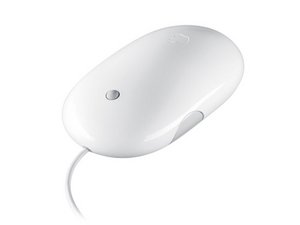
Mighty Mouse doesn't scroll down
The mighty mouse I use has been in use on various computers for a few years now.
I was using it to browse the web when the scrollball stopped scrolling down. It can still go up, left and right but when I scroll down it goes down and spins but there isn't the usual clicking noise and it doesn't do anything on-screen.
Can I fix it at all?
7
Score
Reed
343
Answered
Accepted Answer
Down is the most common way to scroll the mouse, so it gets much dirtier than the other directions. I've seen this problem with many Mighty Mice, and the solution is simple:
Use rubbing alcohol to clean the scroll ball. Dab some on with your finger, or perhaps use a paper towel. Roll the ball around for a while to get the alcohol spread around, and then dab it off. Repeat a few times, until the mouse is scrolling correctly. Don't drown the thing, but be somewhat generous.
The paper trick works for a lot of mice, but sometimes it's too dirty in there and more drastic measures are necessary. Unfortunately, you have to break a glue seal to open up the mouse. The scroll pea rolls against three little plastic rollers. The rollers accumulate stuff which sticks to them, and prevents them rolling. If you do open up an intractibly dirty mouse and take a look, you will see why simply rolling the mouse around on a piece of paper doesn't work in really bad cases. I've done this with two or three mice, and they work okay for a while, but the best solution of all is a Magic Mouse, which has no moving parts.
17
Score
bac
5.1k
Answered
I'll offer an alternate fix that I find works very well (I have 3 Mighty Mice :)
Get a CLEAN sheet of paper. Put it on top of a stack of paper, i.e so you have a slightly soft cushioned surface, rather than directly on a hard desktop
Unplug your mouse (if USB) or switch it off (if Bluetooth).
Turn the mouse upside down and roll the scroll ball on the stack of paper, somewhat vigorously in circles, also back and forth and various directions. You will likely see some gunk come out of the scroll ball hole and stick to the paper. Don't roll over any of that loosened gunk. You may also see some stuff stuck to the ball itself, you can easily brush or blow that off.
The ball will heat up doing this, so don't do it for an extended period, or pause after several seconds to let it cool before trying again.
originally I used to always clean my first Mighty Mouse using the alcohol method, with limited success or requiring multiple cleaning attempts. Using this method, I find it works quickly and every time.
try it next time!
JUst rolled my 2 MIghty Mice around on paper... and now they work a treat after not working for months!! Thanks Bac... if only I read this a couple of hours a go I wouldn't have ordered the 2 Magic mice!! CHeers anyway. Leon
Leon,
hey you're welcome! trying to spread this word around because the trick seems to work really well, and yet still lots of reports of inability to clean the MM using compressed air or swabs and alcohol.
bac,
I searched all over online one night for hours till I came upon the paper trick, and haven't had an issue since... ( until the magic mouse I have now, that won't let me drag any item it just drops it immediately, but that's a totally different issue!)...
0
Score
Answered
0
Score
Answered
0
Score
vholman
1
Answered
It worked but now everytime I click the mouse the dashboard shows up. I think I broke the ball tapper part.
0
Score
Answered
0
Score
Torsten
1
Answered