2

Score

Avatar
Ben
1.1k

Asked

RAM upgrade from 1066 to 1333 MHz

History

Hello there,

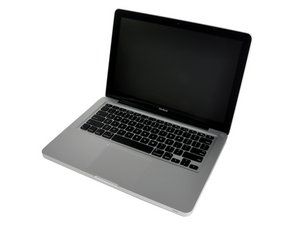
I own a Macbook Pro 13' 2011 and my wife has a Macbook 13' Unibody late 2008.

I recently upgraded the RAM of my MBP from 4GB to 8GB. But my wife only has 2GB in her MB.

The RAM of the MB Unibody is : 204-pin PC3-8500 (1066 MHz) DDR3 SO-DIMM

The one of my MBP is : 204-pin PC-10600 (1333 MHz) DDR3 SO-DIMM

My question is, can I put my old 2x2GB 1333MHz in her 1066MHz RAM slots without any problem ? Will it work ?

Thank you

Edited by: Ben ( )

Post Answer

5

Score

Avatar
rj713
39.1k

Answered

Accepted Answer

PermalinkHistory

Hello Ben I personally have no experience doing this but have located a Mac post that discuses this in some detail. Hope this helps you. Good luck.

https://discussions.apple.com/thread/333...

Hi rj. Thanks for the link. So the faster RAM will run at the slower bus speed without causing any problem ? I know that the 1333MHz ram will not run as it was designed and won't all it's power but I already have it and I don't want to buy other ones. Can anyone can confirm this ? Thanks

Ben,

Ben, I didn't see anyone who said that it wouldn't possibly cause problems. Sometimes faster RAM will work and sometimes it won't. If you start having problems with unexplained crashes or kernel panics, replace it with the correct speed.

mayer,

Hello mayer, he did reply but it seems that he deletes its comment. Ok but it's not risky right ?

Ben,

I think the risk is minimal but watch the heat. I have actually burned my fingers on the wrong RAM.

mayer,

Thanks I will !

Ben,

4

Score

Avatar
adlerpe
301

Answered

PermalinkHistory

Since I just tried this a few days ago, I'd thought I'd report my findings.

Test bed: Late 2008 Macbook Aluminum, DDR3 PC3-8500 RAM (1067MHz)

Tested RAM: DDR3 PC3-10600 (1333MHz)

Original RAM:

Bank 0/1GB 1067

Bank 1/1GB 1067

Remove both sticks of 1067 RAM. Install 2GB 1333 in Bank 0. Reboot - successful; all systems function normally. Swap 2GB 1333 to Bank 1. Reboot - successful; all systems function normally.

Mixed RAM:

Bank 0/2GB 1333

Bank 1/1GB 1067

Reboot - NO BOOT

swapped slots

Bank 0/1GB 1067

Bank 1/2GB 1333

Reboot - NO BOOT

Remove 1067 RAM. Reboot with 1x2GB 1333 - successful; all systems function normally.

Reinstall 2x1GB 1067. Reboot - successful; all systems function normally.

At least for the RAM I had (2x1GB 1067 Apple stock Samsung; 2GB 1333 HP stock Hynix), the system boots with all 1067 RAM or all 1333 RAM, but it will not boot if the two are combined. I have installed 2x2GB 1067 in the Macbook now, and I have 2x4GB 1067 arriving this week; I'll retest combinations with the 2GB 1333 and repost as soon as possible.

Edited by: adlerpe ( )

+ I like hands on research

mayer,

As I mentioned in the Apple thread rj713 linked to above, I suspect there's a timing issue involved - the memory controller can handle downcycling the RAM, but it can't co-ordinate two different RAM speeds at the same time. Given that the Late 2008 Macbook is the first of the DDR3 systems, it would be interesting if someone with a later 1067 RAM laptop (2009 or 2010) could try an experiment like mine with mixing 1067 and 1333 RAM, and report back on the results. It may be that the memory controller (if that's the issue) is the same in all generations of the DDR3/1067 era, or it may be that later memory controllers are smarter and more powerful.

adlerpe,

1

Score

Avatar
awais butt
13

Answered

PermalinkHistory

Guys trust me I have been working for Processors manufacturing companies for quite a long. Always remember to check your processor before going for any ram upgrades or downgrades. RAM bus speed totally depends only and only on the Processor you macbook has. For example, if you have late 2011 13 inch macbook pro 2.4 Cori5, then simply go to the processor specification page. It clearly shows that it supports 1066/1333 MHZ pc3 rams. Now based on that you can upgrade or downgrade without even having a single inch of doubt. However, if you try to do any other experiment where you want to put in a higher bus speed or a lower bus speed ram than specified, then there are 100% chances that it wont work. Take my tip - whenever deciding for a RAM, get exact specs of your processor and see the RAM compatibility list as RAM is designed to serve processor only and it should be considered before buying any RAM.

0

Score

Avatar
Arnold Rehwinkel
1

Answered

PermalinkHistory

Hi,

I have an Late 2008 MacBook and put in 2 x 4gb of Kingston memory. Both work at 1333. No problems at all!!

0

Score

Avatar
jbeltzner
1

Answered

PermalinkHistory

I just tried 2x4GB Corsair 1333 modules in a late 2008 unibody MacBook. The system booted and recognized 8GB of 1333 RAM, and everything worked until I tried to install OSX Lion. During the install process, I got kernel panics left, right and center. I had to remove the 1333 RAM and replace it with the old RAM. I don't know if there is something specific to operating system upgrades that would have caused the problem.

0

Score

Avatar
Chris Johnson
1

Answered

PermalinkHistory

I have a late 2008 macbook unibody and put 2 x 4gb 1333MHz ram in and it worked, but I do get occasional program crashes, especially for games. With 4GB 1066 ram it is fine.

There is a different firmware EFI update for the unibody macbook that allows it to work ok with 8GB ram, earlier updates will only support 6GB, any more causes constant system crashes. You do need a late version of Leopard at the very least to make it work as well. I think all 10.6 (Snow Leopard) variants work OK. To make things more awkward, Apple released the updated EFI with the same version number as the old one. You need version MB51.007D.B03 (look under boot ROM in system profiler). If you want more info look here: http://blog.macsales.com/9102-secret-fir...

In summary, use the 1066 RAM if you want a totally stable machine. In most cases it will actually be faster because it runs at the bus speed.

Chris

0

Score

Avatar
vsshokeen
1

Answered

PermalinkHistory

hi,

i have a late 2009 macbook pro with 1067 RAM 2x2gb

I updated the mac book os to osx 10.7.3 nd tried installing 1333 ram but the system did not boot at all.

i agree that it must have something to do with the os.

regards

Vijay Singh Shokeen

0

Score

Avatar
Michael
1

Answered

PermalinkHistory

I have a mid-2010 Macbook Unibody (Macbook7,1) I had 2gb of ram to start with, so I wanted to upgrade to 4gb. I went out to grab 2x2gb 1333mhz ram sticks, It did not seems to work - no boot. Luckily I had my MBP lying around and it had 8gb 1067mhz ram preinstalled from Apple. I swapped out the ram from my MBP to have it working on my MB. Now my MB is running 8gb 1067mhz but I seem to be hitting some problems lately with alot of system crashes. Does anyone know if 8gb 1067mhz ram cause a system fault? or is it simply just a application failure. (I could not get any 2x2gb 1067mhz ram from where I live)

Edited by: Michael ( )

0

Score

Avatar
lagagal7
1

Answered

PermalinkHistory

Hi,

I have a late 2008 unibody aluminium macbook.

i want to upgrade to 8Gb(2X4)

My MB specs specify 1067 Mhz.

I´been told and read tons that with 1066 it works OK... !

can somebody tell me By own experience if this is true?

In the mac store i`ve been told that if you put a 1066 or 1333 it won't work appropriate because of the bus or something like that...

i am really confused, and don't know which one to buy!!

i really need to upgrade it, as my MB is SUPER SLOW since i installed Mountain Lion!!

0

Score

Avatar
laplace1arun
1

Answered

PermalinkHistory

I recently upgraded my Late 2008 Macbook unibody to 2xGB 1066 MHZ RAM it worked perfectly fine.. Looks like its better to keep at the 4GB level.

0

Score

Avatar
DavidEnriquez1
1

Answered

PermalinkHistory

hey everyone, i have a macbook a1278 2008 series. i baught my lop top from a friend with the trakpad not working, i had just ordered and installed a brand new one and it still wont work. it just click but absolutely no gestures. anyone knows how to get this fixxed???????????

Add Your Answer