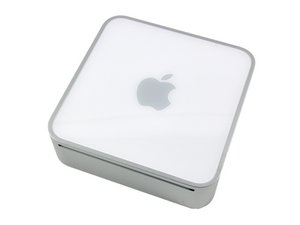

0

Score

Avatar
MrSchaeffer
1

Asked

Why my mac mini is so noisy?

History

Hello!

I've a problem with my macmini.

Until now it was very noiseless, but by some weeks it's very noisy.

The fan rise is speed to 5500rpm random, without reason.

I've brougt it to the local Apple store but the "Genius" said to me that there are no problem with the hardware, in his opinion it's a software problem.

But after two initializations, the mac is the same.

What can I do?

Very strange...using another browser until now the fan doesn't rise is speed. It seems a problem with safari. Possible?

MrSchaeffer,

A new Safari was just put out. Try a software update.

mayer,

No update available for me (in italy) at the moment. I will try in the next day. Otherwise "Opera" is the way. Thanks for your quick answers.

MrSchaeffer,

Forget it, the fan start again also without safari. The temperature of the cpu heatsink goes to peaks of 126°C (O_O) to 40°C. Resting parts of the mac gets overcooled after the fan run for several minutes. What is that?

MrSchaeffer,

Take the top off and see if the main fan is running.

mayer,

Show 1 more comment

Post Answer

3

Score

Avatar
Chris Green
14.9k

Answered

PermalinkHistory

There's a chance that the fans and heatsinks have become clogged with dust. I recommend opening the computer using this guide, and cleaning out any dust/debris.

Thanks for the answer, already do it. No dust inside.

MrSchaeffer,

2

Score

Avatar
mayer
121.8k

Answered

PermalinkHistory

I hate to state the obvious, but your fan may be failing. First trying lubing it with some graphite. Peal up the sticker on the fan and put some in the hole. That failing replace the fan, here's how: Installing Mac mini Model A1283 Fan

Thanks for the answer, no dust inside the mac is like new. Super cooled with an addictional fan under it. I hope that is only a trouble with the main fan, althogh the "Genius" said to me there were no hardware problem according to the test they did on it. I will bring it back to the apple store on monday, trying not to waste my time.

MrSchaeffer,

Ask if the "Genius" status took three or six hours of training. The Apple part number on the fan is 922-8804 Here's the part: http://www.ifixit.com/Apple-Parts/Intel-... Here's how to install it: http://www.ifixit.com/Guide/Repair/Insta...

mayer,

1

Score

Avatar
pierrej
667

Answered

PermalinkHistory

have your performed a PRAM and SMC reset? if not, try those. to reset the PRAM, press "command + option + P + R" on your keyboard during the post (before the chime) and wait for a second chime. the SMC might have already been reset if you went to an apple store, as it would be reset after 10 second of getting no power.

Sorry I didn't uderstand when I have to press the combination for the PRAM reset. I try it before the grey screen but nothing. SMC already do it.

MrSchaeffer,

Press the "Command" + "Option" + "P" + "R" keys at the same time before you hear the chime. keep them pressed. You will hear it go through the post (chime) once again at which point you can release.

pierrej,

Add Your Answer

