1
Score
asle
1.7k
Asked
iMac screen discolored (smudgy)
Hi,
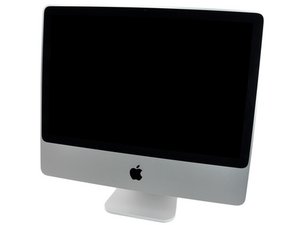
I bought a used 2007 mod. iMac 24" 2.8Ghz. Now I wonder if there is something wrong with the screen. When I start it up I see areas with yellowish discolored areas and I can see icons and some text shining through at the bottom of the screen, but not icons from the dock. When it is up and running, if I change the background to white I can see the discolored areas more clearly. I have an older 20" white iMac Intel and it does not have the discolored areas. Is this normal and is there a way I can fix this without having to replace the LCD?
Here is a link to a couple of pictures:
2
Score
asle
1.7k
Answered
Accepted Answer
Sorry for not getting back on this issue but it is solved now. I called Apple and they replaced the screen for free! I can not find the support article any more but take a look at this article: http://nanchatte.wordpress.com/2010/11/1...
Apple has admitted this is a production failure so they should fix it (like mine) for free even if you don't have AppleCare.
0
Score
rab777hp
13.6k
Answered
Hey- this looks kind of old, but this article just came out today so you may want to try some of its suggestions. Sounds like it's a pretty well-known problem now.
That is for the 27" iMac but a similar problem. I am lucky to live in Norway because we have a strong consumer law which says that a product like this should last for 5 years. I even got Apple to change my crashed harddrive in my 3.5 year old iMac.(it should work for 5 years according to this law!)
asle,
Can you post a picture of this?
rab777hp,
Could it be burn in? I've never seen that on an LCD but it sure sounds like it. Ralph
rj713,
It'd be pretty hard to get a burn like that on an LCD as you say. If it is a burn, must also be some problem with the inverter or something, that thing shouldn't be getting that much juice!
rab777hp,
Looking at the pictures I would say that's definitely not burn in. Ralph
rj713,
But is it normal? And if not is there anything to do about it? My white iMac 20" is not like this.
asle,
No its not normal. I would try a external monitor and if the same problem is there you're looking at a logic board/video card problem. If not its probably a LCD problem. Ralph
rj713,
Thanks rab777hp for your comment and link! I definetely have to check with Apple. I just got Apple to replace logic board on my 2.5 year old MacBook Pro even without AppleCare (ATI 8600MT graphic failure). So I am always aptomistic with my old Apple stuff :-)
asle,
Show 2 more comments
