7
Score
asle
1.7k
Asked
Will not boot, grey screen
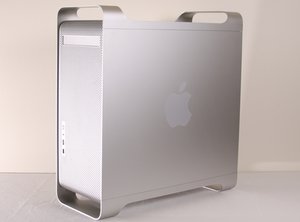
This is a G5 2.5Ghz Quad. OS X 10.5.6. 8GB RAM. I get the boot sound, then a grey screen. That is all. Then the fans start blowing real loud until I turn it off.
This is what I have tried:
- replace with other RAM
- unplug drives
- Reset nvram like in this article. The problem is then that I have problems getting to OpenFirmware. Sometimes I am able to but when I get to the OF screen there is no reaction from typing. I can i.ex. type the first line but then there is no response from the keyboard. The keyboard is plugged directly into the USB port.
*
I got hold of the Apple Service Source Manual for Quad G5. (Let me know if someone needs that!) and just getting to the cooling and the power supply seems a bit tricky. So I read about this Apple power supply exchange (http://www.apple.com/support/powermac/po...) and am trying for that first. So it seems from the LED light that the CPUs are overheated and that could be related to the power supply going bad. I will post results of my shot at Apple.
- UPDATE - THINK I MAY GIVE UP **
I took the machine to an Apple service center and they confirmed it was the processors gone bad. Of course this has to do with the cooling failed. Still I was not able to get a warranty repair even if I showed them the extended powersupply article and the article about the cooland leak. They said the machine was too old. They did offer me to fix the machine for about $1300. Since this is 2 machines with same error and since I have 16GB of RAM invested in each one just before this all happened, I might just have to accept the offer. Any comments?
Edited by: Matt Newsom ( ) , asle ( ) , Sterling Hirsh ( )
4
Score
David Iwanicki
3.1k
Answered
this sounds like a possible failed logic board or processor module. Since the 2.5 Quad is water cooled, first check the felt pad under the processor heat sinks - is it damp or stained? If so, stop trying to use the machine immediately - the LCS has failed!
Next, make sure you have a known good matched pair of RAM modules (these machine are VERY picky about matched RAM - try to use not only the same size, but the same manufacturer and code when possible) installed in the inner most slot of each bank - follow the diagram on the inside of the cover to ensure the RAM is installed in the proper banks.
Next, if the issue persists when you boot the machine after checking all of this, remove the cover and air dam and check the LED bank on the forward edge of the logic board, near the RAM slots:
http://support.apple.com/kb/HT2652
Red lights here are BAD (except for the "cover open LED" My guess is you will have either the "Overtemp" or "Proc" LED lit.
There are sources for the parts, let us know what you find...
How in the world can some of you know all this? I checked the apple support article about the LED bank. I am sure the RAM pair I am using is good. When I start the machine the light nr. 2 lights red, and the article says "Contact Apple or an Apple Authorized Service Provider". David, there was no moisture under the CPUs. So this means the logic board must be replaced?
asle,
LED #2 is Overtemp, which means your liquid cooling system is probably not working - pump may have stopped, but liquid is still contained. I have worked on too many of these models to count - the hardest part of answering your question was staying within the bounds of my NDA :) Luckily, I just found a PDF copy of this computer's User Guide here: http://manuals.info.apple.com/en_US/Powe... Page 71 has details on which LED is which.
This may become a very expensive repair, as the processors may be damaged from the lack of cooling. Logic Board might actually be ok. Glad to be of help!
Yes, would the computer run if one of the pumps isn't working? Or can the machine tell (these comps have a sensor for everything) if it will run without the LCU running, and isn't now then there might be a CPU dead. I have read that if CPU1 Dies, but CPU0 is ok, the machine will run as a single core.
3
Score
mac605
121
Answered
remove as much RAM as possible,
unplug all unnecessary devices (USB/FW etc)
find and use CUDA button http://support.apple.com/kb/HT1939
If this not helps remove battery for some time (ie 1h) then place it again
If none of this help, I'm afraid that you have a hardware problem :(
1
Score
miguelb
161
Answered
1
Score
metallikch
289
Answered
From what you described my first guess would be the logic board. When you are in open firmware and the keyboard does not respond that could be a sign that the ports have stopped responding due to the failure.
My second guess would be the processors.
What I would try to do is try and start the computer using only 1 RAM slot. If you can try and boot to your system disc or your AHT (Apple Hardware Test) CD do that and see what happens.
If none of the above work, I think you'll have to take it to an Apple store to get it looked at.
good luck!
1
Score
Chris Green
17.2k
Answered
The powermac G5 is a very, very picky computer. you should try to limit the ram, check the case for leaking coolant, and other issues. it sounds like a logic board issue, try to reseat the graphics card(Unplug it than plug it back in while the computer is off) then torn the computer on, his might solve the problem. Try to also clean the contacts on the graphics card connector. Also, try to run the computer without the PRAM Battery, also try to run it without any drives connected, if you see a flashing ? folder, then your drives or cables may have failed. if none of this solves the problem, the logic board is most likely dead. if you really want to take it to the next level, try to reseat the CPU's. this is a hard thing to do, because the liquid cooling unit has to be removed.
Good Luck,
Chris
Also, check that all of the cables are snugly connected to the logic board, if they aren't they may cause the computer to function erradicly, I had a similar problem with my powermac G4 MDD, it turned out that the logic board was dead, a replacement solved the problem, is the power lead on, or does it go out right after you push it?
1
Score
MacRuud
35
Answered
My G5 had the same problem. After 4 years and a couple of months with no problem at all it suddenly stopped working. Restarting the Mac failed with the grey screen as mentioned above. After doing the usual to check if it was a software or a hardware problem I found useful information in the links below.
The problem may be caused by fractures in the solder joints between the powerpc processor and the logic board. This may be a design flaw in the otherwise great machines Apple produces. What is needed is a "reflow" of the logic board. Contact Jürgen Geisbauer of the German Firm "Golytronic" (www.golytronic
check out these links:
http://discussions.apple.com/thread.jspa...
1
Score
Chris
13
Answered
I recently found this website and it's full of fantastic info. Just wanted to add my 2 cents as well. As a long-time Apple II and Mac user, I've experienced my share of trouble. Don't just reseat the RAM or video cards. While you have them out, take a pink pearl eraser and clean off the edge connector as well. Just a little bit of corrosion on these connectors is all it takes to make these machines go nuts.
This is a great question. Letting us know what you've already tried makes it much easier to provide useful diagnosis.
Kyle Wiens,
Thanks for all advice. I tried to replace the clock battery, used the CUDA button, removed all but 1 RAM module. No luck. Now there is not even a grey screen. Strange because I have 2 G5s that are exactly the same and both are sick now in the same way.
asle,
I have a dual 2.5GHz G5 with the same problem. Has always been a problem with spotty booting for the past few years, but after a recent minor OS download/update and reboot, I got the gray screen problem. Took to the Apple Store and all tested out except the CPUs and MOBO. Not worth spending more than $200 to fix this thing (already have spent way too much time). Have never had so many issues after 20 years of Mac ownership as I have with the G5 line...
Knute5,
-UPDATE- I really gave up on these. They look nice and shiny standing along the wall not doing anything. I bought a couple of new MacPros Intel. They are just speed demons compared to the G5s. I don't think Apple really tried to get away with a bad product, just turned out to be like that. I always have been impressed with Apple Support but this time I feel like the sucker spending tons of money on RAM upgrades that nobody wants or can use anymore. This was a bad story for me and a lot of you guys with similar experiences, and of course for Apple. They did not make that many mistakes but they obviously should have stopped the G5 project a long time before it got out of hand. Guess it was like putting a Porsche motor in a Beetle. Sure it will speed but it will not last long.
asle,
So I admire you guys if you really want to find out hos to fix these but I suggest you accept you spent too much money and do like me and get yourself some new stable MacPros. They should pay you back what you lost and you will be happy once again and love Mac :-)
asle,