
2

Score

Avatar
markus weiher
22.6k

Asked

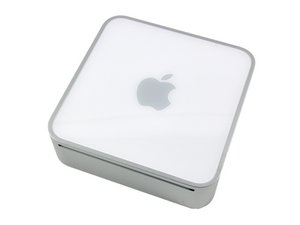
Dead Mac mini with no obvious damage

History

i received a mac mini with no signs of life.

there is no visual damage on the logicboard.

i removed the logic board and found some markings on the board.

testpoints at the following parts on the bottom side are marked "pink": U6400, U6410, U9500. those areas/parts are marked "blue": the circuits between R9537/C9522 and C9525/R9540, the printed text of L4732/R4732/R4733.

on the top side is only one "red" marking on C9521.

i've read a few things of other dying minis, some suffered the "failing fan issue" - but i don't think that those things are related. others died during the setup/update of 10.6.3.

the pram battery had 2.99v - but nothing changed after replacing it with a new battery.

and please - no "get a new mini" or "replace the logic board" answers.

i want to know if those computers are fixable or not - there are way to much minis out there that could do a great job in those times (mine is a 2ghz c2d with 2gb ram - not a "crappy" old 1.5 core solo)

the cpu isn't the problem, tired it with different ones, the brick works too - tested on another mini and it delivers around 18.5v to the board

any useful suggestions??

Edited by: markus weiher ( )

+ This is the type of question you would answer. LOL

Majesty,

you're right. i think i would try to answer that

markus weiher,

Post Answer

1

Score

Avatar
Chris Green
17.2k

Answered

Accepted Answer

PermalinkHistory

You could start by checking some of the fundamentals that the mini might not start without, like the Interconnect board, or something really straightforward like the power button. I have a mini that had been quite unstable until i took it to an apple store. I wrote down some numbers for parts, and took a few pictures before i sent it out and when i got it back it showed evidence that the logic board was removed but not changed. I am not aware of any way to test the logic boards, but your best bet would be to make sure that there are no types of obstructions to the interconnect board slot and no scratches/obstructions on the motherboard. you could try and run it "barebones" on a table laid out so that if some kind of case metal is shorting out, it won't do so. But other than that you would need some way of diagnosing the problem.

the power button works, the zif cable lock for the audio board is missing - but i "replaced" it with something else. tried it barebone too (measuring insinde the housing wouldn't be the best idea ;-))

markus weiher,

well, still no luck but i think it's time to close this. thanks fro helping

markus weiher,

0

Score

Avatar
Maggell
1

Answered

PermalinkHistory

is clean inside? I have some experience with a 1 dead powerbook and 1 dead macbook pro, both with similar symptom and both pretty dirty inside...dirt stuck inside the fan's and vents...the overheat kill the graphic card. Some post on youtube recommend to bake or use a heating gun. I replace the mother board and both are working again. (before the surgery I didn't get any kind of

response when I push the power button).

Add Your Answer