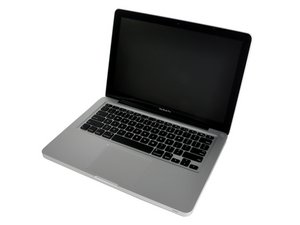
Why does it keep on restarting?
When I shut down my system, it keeps on restarting.
Is this a good question?
Score
2

Rep: 25
 1
1
 1
1
When I shut down my system, it keeps on restarting.
Is this a good question?

Rep: 1.2k
9
8
Could be a permissions issue.
Insert your OSX install dvd and hold option on startup or when it restarts.
You will have the option to boot from HDD or DVD choose DVD.
Once it loads (may take a few minutes) select disk utility.
*You may have to select a language or something.
In disk utility select you HDD and then you can "check disk permissions" and "repair disk permissions".
This may be the reason it keeps restarting when you shut it down.
It also could be a pending install of an update that is corrupt, but this should correct that issue.
If not let us know.
Good Luck!
-Varsity
Was this answer helpful?
Would a Mac OS permissions issue make it happen in Windows also?
If its running windows through boot camp yes its possible, but windows itself is a whole other issue lol.

Rep: 715
14
7
 1
1
Have you tried to shut it fully down by holding the power button down till it goes off (forced shut off?)
That should keep it off - and maybe it behaves after you start it up afterwards - give it a shot
Was this answer helpful?
that would be my first try!
Yes, only like that it would be turned off, but it doesn't matter in windows or mac os, when I choose shut down, it restarts itself, it is the First time that I'm facing such a problem.

Rep: 20.3k
68
33
18
Try typing in the command-line:
sudo shutdown -h now
Sounds like a permissions problem though.
Was this answer helpful?

Could it be a battery issue?
May be a battery calibration will help.
Was this answer helpful?

I've just started having this problem on my MacBook. Did you ever figure out what was causing your problem?
Was this answer helpful?
I would try resetting the SMC. Heres a TN on how to do it: http://support.apple.com/kb/HT3964

ive been having the same problem with my MBP. I recently did some troubleshooting by replacing the hard drive with one from a full functional MBP. Even with the new hard drive, my macbook would still restart everytime. Thus proving that the issue is not software related. I'm stumped.
Was this answer helpful?
Past 24 Hours: 0
Past 7 Days: 2
Past 30 Days: 15
All Time: 6,233
