
4
Score
Roger
59
Asked
iPod plays through external speaker when earphones plugged in?
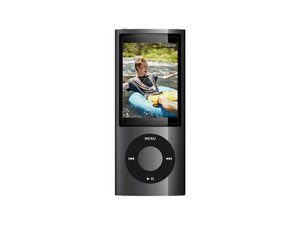
iPod 5th Generation plays through external speaker when earphones are plugged in. Took it to Apple store. They said it had water damage. Water damage must have been from running outside in rain.
Update
Okay, none of these answers are helping me at all. I've been experiencing the same problem with my Ipod. It's the one with the camera in the back. When I plug in earphones, the sound plays through both the speakers and the earphones. When I turn the volume all the way down to zero, the music still comes out the earphones at full blast and not the speakers; but when I turn up the volume, the music plays out the earphones and the speakers. I've already tried the whole rebooting thing with holding down the menu and the center button and I've also tried unplugging and replugging in the earphones, it doesn't help me what so ever. I've also tried several different pairs of headphones. I'm not getting any help. What I want to ask is, 1.) Is there anyway of turning the internal speakers off? 2.) How can I fix the earphone jack besides taking it apart? 3.)Is there anyway of turning down the earphones volume with this this problem? I would really like some answer's. Thank you. -Harleigh 09/27/10
Edited by: Harleigh Jones ( ) , Roger ( )
0
Score
Rob
139
Answered
Accepted Answer
They make really nice and very cheap arm band iPhone holders that have velcro, and wrap around you arm, and they hold the iPhone VERY tightly so it can't fall out. Get them really cheaply at Walmart or Target for less than $10 bucks.
As a runner, I strap mine in upside down for that very reason. I love running in a light rain and didn't want mine to get messed up.
I've been doing this withthe same phone for over 2 years now, and have no issues at all.
Happy running! Run to Live, Live to Run!
I appreciate the information about the armband but my real question is what do I have to do to fix the fact that when i plug in my earhpones the sound comes through the headphones as well as through the speaker.
10
Score
Melanie
73
Answered
Hey, I had this problem too (couldn't shut off external speaker). Found a site on the web that said: press menu button (top) and center button at the same time for a few seconds. It resets the iPod. It seems to have worked for me. Good luck.
in that case it was a software problem, but a fluid damage is different, the oxidation shortens parts and those oxidations have to be removed
I just had the same problem with my ipod touch. Mine got wet in a sudden down fall. I did what Melanie said and it worked.Think i was lucky it wasnt 2 damaged. Thank god, i didnt want to go out with everyone hearing my terrible music!!!!
Thanks Melanie!!! Your fix worked perfectly for my I Pod Nano. It would only play thru the external speaker regardless of which head phones I plugged in. My nano has never seen rain so that was not my issue. I am enjoying my music privately again.
my ipod was playing threw both headphones and speaker on my ipod and my friends were getting annoyed having to listen to music,and i looked it up why it was doing that,before i went to buy a new one and thank you so much melanie, u saved me hundreds of dollars.
zach,
Just tried the "hold the menu button and center button for approx 5 sec" to turn off the extrenal speaker Solved the problem... What did we do before the internet??...no comments from you 30 somethings :-)
9
Score
markus weiher
22.7k
Answered
The only way to fix (or even trying) is to disassemble it and check the headphone jack and the surrounding area - if both ar on at the same time and apple said that there is a fluid damage - the you have to look at the headphone jack first.
but be careful - this device is tiny and could be very problematic to handle
the teardown is here
use rubbing alcohol and a soft paintbrush to clean the logicboard, the connectors and the headphone jack, remove the kapton tape before you clean the parts with alcohol, let it dry and then reattach the kapton tape on the parts.
try if it works correctly - if not, look closer for any damages the water could have made
2
Score
Lindora
25
Answered
I struggled with the external speaker playing even with the headphones plugged in, too. I just started happening after I had used my Touch 3G for several months with no problems. I was all set to send it to Apple when I just unplugged the Apple headphones that came with it that I'd been using exclusively and plugged in some other earbuds.
Problem solved. All the sound came through the earbuds, none through the speakers. I switched back and forth to be sure. I don't know if it has something to do with the technology that allows the Apple earbuds to work as a microphone as well, but I am now using much cheaper earbuds without annoying other people at the gym. Doesn't sound like this would be the solution to everyone, but it worked for me.
Edited by: Taylor Arnicar ( )
1
Score
Trudy
13
Answered
1
Score
Shelley
13
Answered
I did what the man above (Markus) said to do. I had the same problem with sound coming out of the speakers regardless of whether the earbuds were in or not. I hit the menu button at the same time as the center button for a few seconds and it reset it. When it came back on I could plug in my buds and not have the whole room have to hear my music. Worked perfect for me.
the same thing happened with my ipod so I plugged it back into my laptop and ejected it again and somehow it went back to normal, hope this helps.
HOLD MENU AND CENTER BUTTON TO RESET. My son had exactly same problem as stated, I Googled for an answer, and this page came up. I am amazed there is so much nonsense spewed here about water damage, fiddling with every setting until it fixes itself, etc etc. A bog-standard reset fixed it. That solution should be pinned right at the top of this section, not a plug for velcro armbands - what the heck has that got to do with anything?
i had that issue with my ipod (and in a previous post of mine i stated that i bought a new one.... BAD IDEA!!) I simply held down the center and the menu button at the same time for a bit and BAM it worked :0 Hope this works for you and if not ill try and find another method!!
kyle,
1
Score
robbi
13
Answered
1
Score
will
13
Answered
How I fixed this is I just plugged them in and unplugged them really fast, wait a few seconds, then plug them back in. I believe this only works when its playing through the external speakers when the headphones are plugged in but isn't when they're unplugged. Hope this helps someone.
1
Score
Answered
I was just fussing around with my Nano, tried pushing the earphones in hard, holding center button and menu at same time, nothing worked. Finally just started wheeling the sound backwards and pushing center button, sound disappeared, Apple symbol came up, quickly unplugged earbuds and plugged them back in and now it's fine. My advice: keep fussing around, clicking on everything until something works.
1
Score
kyle
13
Answered
0
Score
Answered
''' i have been having the same exact problem with mine too. I got it for christmas 3 years ago and like a month later i had dropped it in the snow and it got a dent on it and it was there over night and when i plug the head phones in it is like i cant turn the volume up at all or else it goes into the external speaker and it seems like there is no bass coming out of it either so yea it really bugs me but wht seems to work is if u #1)push the headphones in all the way
#2) then push them twards the screen then it sound fine so yea that is all i know i need to get it checked out!!! '''
0
Score
Holly
1
Answered
0
Score
Answered
0
Score
Steve
1
Answered
I unplugged my iPod from my computer without ejecting it - had the same issue - speaker only playback.
I plugged it back in..Ejected it correctly (right click eject) from the computer interface and it worked fine......
When you unplug the iPod (without ejecting it correctly with your mouse or drag on a mac)I believe it gets set internally set/stuck in speaker only mode
0
Score
Answered
i have the same problem with mine it was working fine till the afternoon....th
0
Score
Sdi
1
Answered
I have the same issue. How did yo clarify your problem. I disturb the train have the time. THey prob hink my head phones are super high. Mine play through the external speakers and the headphones. And yes it seems to be something is wrong with the head phone port. I did the same I bought many head phones and I have the same problem.
do i have to understand that ? you accepted an answer that looks like it was meant for a totally different question - or did you change the question after rob answered???
markus weiher,
I've exactly the same issue but iPod haven't seen any rain and water. Strange but seems that something wrong with the headphone port - if I shift plugged headphones, at some moment sound goes to them. Seems that mechanical problem to me and nothing to do with the rain.
Ajax,
Me too!! It only plays when my earphones are plugged in!!
Julie,