Free Shipping on Domestic Orders $75+
Causes
In the event, the headset is plugged into a wall outlet via a USB charging cable and adapter, but it doesn't seem to be charging, take the following steps to troubleshoot.
- Make sure you are using a correct charging cable. Ensure you are using the proper USB charging cable, a USB Type-C.
- Additionally, make sure that it is plugged into a USB AC Adapter that supplies an output current of 500 mA (0.5 A) to properly deliver the required charge to the headphones.
If the headset gets wet and is powered on, components may burn out or malfunction. To avoid damaging the inner components of your headset after potential exposure to liquids;
- First disconnect from power: be sure to remove the USB-C charging cable from the port.
- Open the outer shell of the headset: removing plastic casings.
- Air dry inner components.
If the USB-C Port is unable to connect to a charger
- Try a different charging cable or outlet. Check to see if the charger works for another device to confirm it isn't damaged.
- Check that the temperature of the headset is between 59° and 95° F to ensure optimum charging
- Check the port for debris that may be blocking the charging port or corrosion using a flashlight.
- If there is corrosion, replace the charging port.
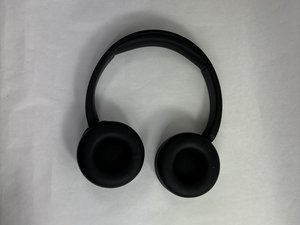
Sony WH-CH520
Find free step-by-step repair instructions, manuals, schematics, community support, and other DIY resources. You can do it! We show you how.
1 common problem
View allDescribe your problem in your own words
View statistics:
Past 24 Hours:5
Past 7 Days:14
Past 30 Days:88
All Time:1,363
