Free Shipping on Domestic Orders $75+
Causes
If none of the above steps work and there’s no indicator light while charging, the internal battery may be damaged or worn out. A battery replacement may be required to restore charging functionality. Follow this guide to replace the battery.

JBL Live 660NC Battery Replacement
- 10 - 20 minutesModerate
If the cable fits loosely or the port feels wobbly, the charging port itself may be damaged. In this case, the port might need to be replaced. Follow this guide to replace the charging port.

JBL live 660NC Charging Port Replacement
- 40 - 55 minutesDifficult
Related Problems

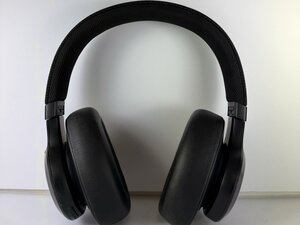
JBL Live 660NC
Find free step-by-step repair instructions, manuals, schematics, community support, and other DIY resources. You can do it! We show you how.
2 common problems
View allDescribe your problem in your own words
View statistics:
Past 24 Hours:3
Past 7 Days:20
Past 30 Days:62
All Time:495
