Free Shipping on Domestic Orders $75+
Causes
Dust build up or blocked air vents can prevent proper airflow and can cause the battery to heat up. To resolve this, turn off and unplug the device, then remove the back cover using a screwdriver. Carefully clean the fans and vents. Once clean, reassemble the laptop and check if the temperature is back to normal.
The battery or circuit may be the cause of the overheating. Check the battery's health by running a diagnostic test in the BIOS. If the test shows poor battery health, it should be replaced with a Dell certified battery. However, if the battery still overheats the issue could be a faulty charging circuit in the motherboard.
Related Problems


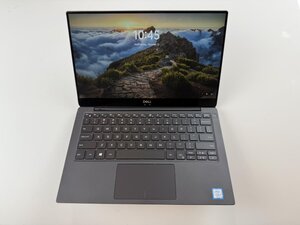
Dell XPS 13 9370
Find free step-by-step repair instructions, manuals, schematics, community support, and other DIY resources. You can do it! We show you how.
13 common problems
View allDescribe your problem in your own words
View statistics:
Past 24 Hours:0
Past 7 Days:8
Past 30 Days:35
All Time:308
