Free Shipping on Domestic Orders $75+
Causes
Check the display itself, there might be an issue with the physical screen, if able open the printer to check for signs of damage or any internal misconnections.
- Do a physical overview of the screen itself
- Lift up the control panel that holds the screen
- If unable or having to force it open, it might be damaged
- If able look into the and around the panel for any cracked or out of place pieces
Ensure all connections to the printer are correctly connected and secured, if there is a USB option, try a different connection.
- Ensure the power cord, both ends from plug to printer
- If not open already, open the output tray and check inputs
- Check SD card option for a secure fit.
- Check Micro SD card for a secure fit.
- Lift up control panel to ensure ink cartridge is well placed
- Check if the printer drivers are up to date, if there is any corruption or any outdated systems it could prevent functional operation. Download them through the official Canon website and refer to the guide
If all options do not work, you may have to replace the control panel entirely or check for other signs of damage elsewhere.

Canon Pixma MG7720 Control Panel Replacement
- 10 minutesEasy
Related Problems

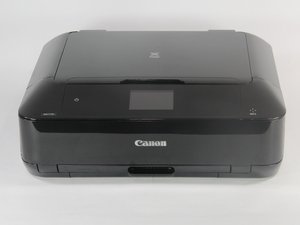
Canon Pixma MG7720
Find free step-by-step repair instructions, manuals, schematics, community support, and other DIY resources. You can do it! We show you how.
3 common problems
View allDescribe your problem in your own words
View statistics:
Past 24 Hours:3
Past 7 Days:6
Past 30 Days:33
All Time:321
