Free Shipping on Domestic Orders $75+
HP ProBook x360 11 G3 EE Troubleshooting: Fix Common Problems
The first step towards a working HP ProBook x360 11 G3 EE is identifying the problem. Select one of our preferred guides below to diagnose and solve HP ProBook x360 11 G3 EE common issues.
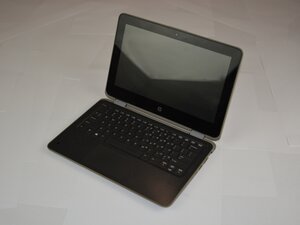
HP ProBook x360 11 G3 EE Display not Turning On
If the display does not light up after turning on your HP ProBook x360 11 G3 EE, the issue may be a dead battery, a faulty display, or motherboard. Review this page for possible solutions.

HP ProBook x360 11 G3 EE Overheating
If your HP ProBook x360 11 G3 EE gets really hot when performing simple tasks, this page has some possible solutions.

HP ProBook x360 11 G3 EE Touchscreen Unresponsive
If your HP ProBook x360 11 G3 EE touchscreen will not respond, you’ve come to the right page. Here are 3 reasons why it may not be working, and their simple solutions with instructions on how to solve them quickly and efficiently.

HP ProBook x360 11 G3 EE Wi-Fi Connection Unstable
If your HP ProBook x360 11 G3 EE’s Wi-Fi is usually unstable, here are a few reasons why it may be acting up occasionally and some quick-fix solutions!

HP ProBook x360 11 G3 EE Storage at Capacity
If your HP ProBook x360 11 G3 EE storage is at full capacity, here are a few ways this could occur. When this space is maxed out, files won’t save, updates fail, and the laptop slows down.
HP ProBook x360 11 G3 EE Charging Port not Working
If your HP ProBook x360 11 G3 EE does not charge when plugged in, this page may have a possible solution.
Didn't see your problem? The iFixit Community has answers.
Browse the most common questions asked by our members to see more solutions. Still no luck? You can always ask for help!
My laptop screen is not turning on and caps lock is blinking?
HP ProBook x360 11 G3 EE
Why is my laptop saying boot device not found
HP ProBook x360 11 G3 EE
