Introduction
All newer fully automatic coffee machines from Saeco, Philips, and Gaggia have the same ceramic grinder. If the grinder no longer works, replacing the grinder motor might help.
What you need
-
-
Take a photo of the mark on the large gear wheel; it should be in the same position when you reassemble it.
-
Although the motor is powered by 230 V, diodes ensure that only positive half-waves are supplied, so that the motor only rotates in one direction. Make a note of how the connection cables are plugged in. Test later to see if it is rotating in the correct direction.
-
You can test the motor with approximately 25 V DC. It should turn easily and draw approximately 120 mA. If this is not the case, check the carbon brushes on the side. Only then should you consider replacing it.
-
Insert translation here
-
Any brackets—in this case, the black rubber sleeve—must be transferred to the new part.
-
The speed sensor can only be removed from the inside. To do this, you must disconnect its plug from the main circuit board and expose the cables.
-
-
-
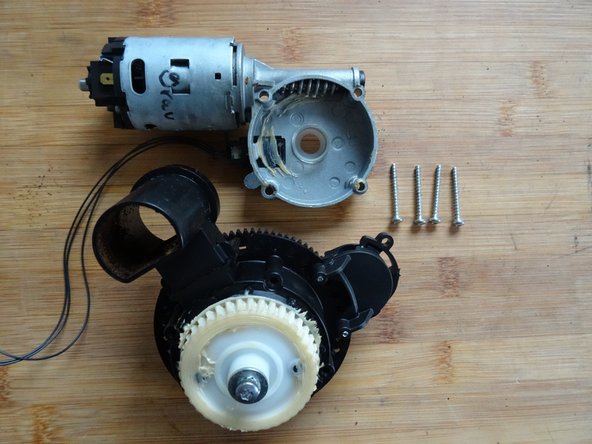
There are four Torx T10 screws on the underside of the grinding mechanism. Remove those.
-
The screw marked in yellow must not be removed when replacing the motor.
-
The white plastic sleeve around the screw marked in yellow must be transferred to the replacement part.
-
Lift off the motor.
-
-
-
-
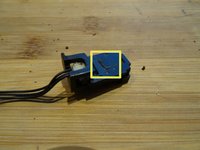
The machine's electronic use the sensor to measure the number of revolutions. The sensor must be transferred to the new motor.
-
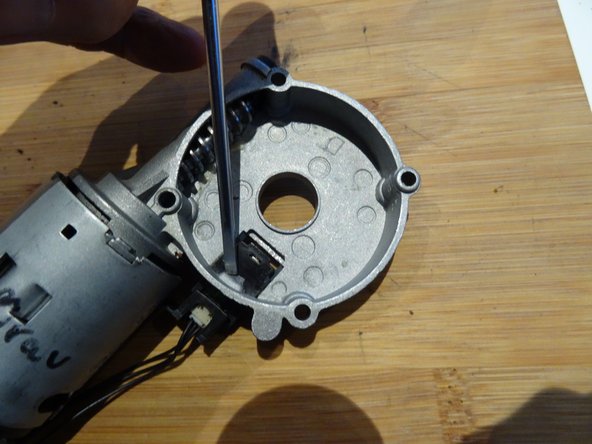
The sensor is secured on the inside with a locking tab. It can therefore only be removed from the inside.
-
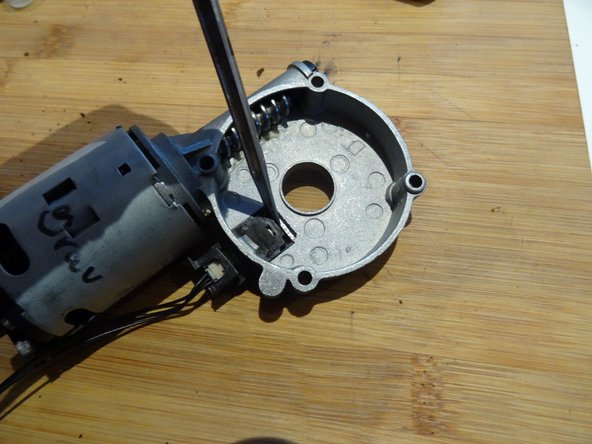
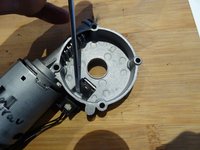
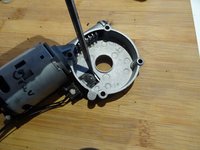
Press the locking tab firmly down with a flat screwdriver.
-
Slide the sensor out, using the flat screwdriver to help if needed.
-
Transfer the sensor to the new part.
-
-
-
Grease the worm gear on the new motor a little; the old grease may be sufficient, but new grease is better.
-
Check that the plastic bushing is seated properly in the center opening. Screw the motor tight.
-





Follow the steps in reverse order to reassemble your device.
Special thanks to these translators:
100%

oldturkey03 is helping us fix the world! Want to contribute?
Start translating ›



Team

Repair is War on Entropy Member of Repair is War on Entropy
Community
32 Members
1,573 Guides authored
